By: Craig Smith
What does Google Tag Manager do? It gives your business one controlled place to manage tracking tags, conversion pixels, event triggers, and consent-aware measurement rules without editing the website code for every routine marketing change.
That is the short answer. The business answer is more important: Google Tag Manager, often called GTM, helps teams turn website behavior into usable analytics and advertising data when the container is governed well. It can support GA4 events, Google Ads conversion tracking, remarketing pixels, call tracking, form tracking, and consent behavior. It can also create reporting problems if every vendor script gets added without a plan.
GTM works best as a measurement handoff layer between the website, the data layer, consent settings, analytics tools, paid media platforms, and the people responsible for reporting. A container without that ownership can quickly become a drawer for spare code.
What Does Google Tag Manager Do in Plain English?
Google Tag Manager is a tag management system. Google’s Tag Manager overview describes the product as a way to configure and deploy Google and third-party tags from a container after the base snippets are installed on a site. That means GTM is not the same thing as Google Analytics. GTM helps send data to tools like GA4. GA4 stores, processes, and reports on analytics data.
Think of GTM as the control room for measurement instructions. A tag says what should run, such as a GA4 event tag or a Google Ads conversion tag. A trigger says when it should run, such as a form submission, page view, button click, purchase, or consent update. A variable passes supporting information, such as a page path, form type, transaction value, product ID, or click text.
For a business, this matters because measurement work often changes faster than site code. A paid media team may need a new conversion action. An analytics team may need a cleaner event name. A CRO team may need funnel events before an experiment launches. GTM gives those teams a shared place to manage, test, and publish approved changes.
Marketers still need developers when tracking depends on site code, ecommerce data, checkout behavior, consent behavior, or server infrastructure. Once that foundation exists, routine measurement changes can move through a better workflow.
Tags, Triggers, Variables, And Containers Explained
A GTM setup starts with an account and a container. For most websites, the web container is the main working area. Google’s account and container setup guidance also covers mobile, AMP, and server containers, but those are different implementation decisions.
Inside the container, four building blocks matter:
| GTM element | What it does | Business example |
|---|---|---|
| Tag | Sends data or loads a tracking script | Send a GA4 lead event after a form is submitted |
| Trigger | Defines when a tag should fire | Fire only on quote-request form submissions |
| Variable | Stores a value the tag or trigger needs | Pass form type, page category, product value, or consent state |
| Container | Holds the approved tags, triggers, variables, versions, and workspace changes | Separate draft work from published tracking |
This structure gives business teams flexibility, but it also creates responsibility. A tag that fires on the wrong trigger can inflate conversions. A variable with the wrong value can break reporting. A container with no owner can collect years of vendor pixels that no one tests.
That is why a good GTM account is organized around business questions, not only tools. Before adding a tag, ask what question it answers, where the data will be reported, who owns the result, and what evidence proves the setup works.
The Data Layer Is Where GTM Gets Useful
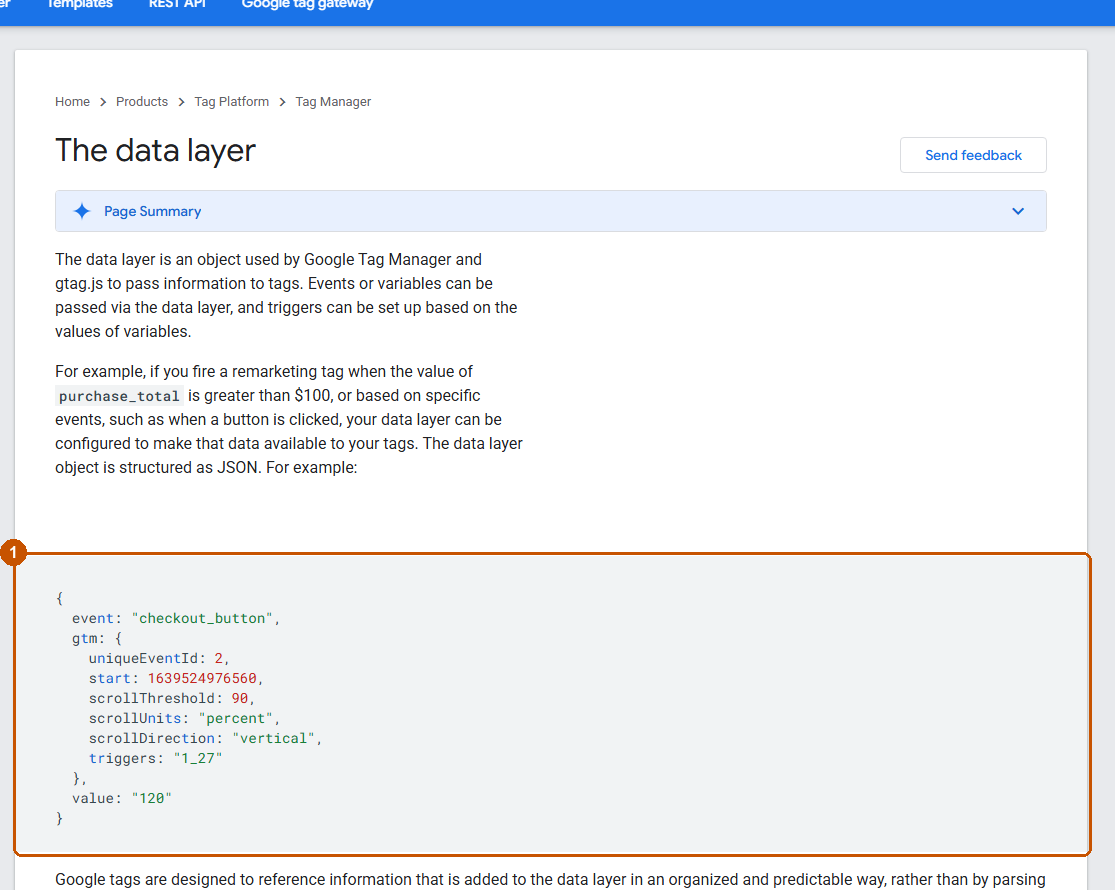
The data layer is the structured information that a website makes available for GTM to read. It is where many business-friendly tracking plans either become reliable or start to fall apart.
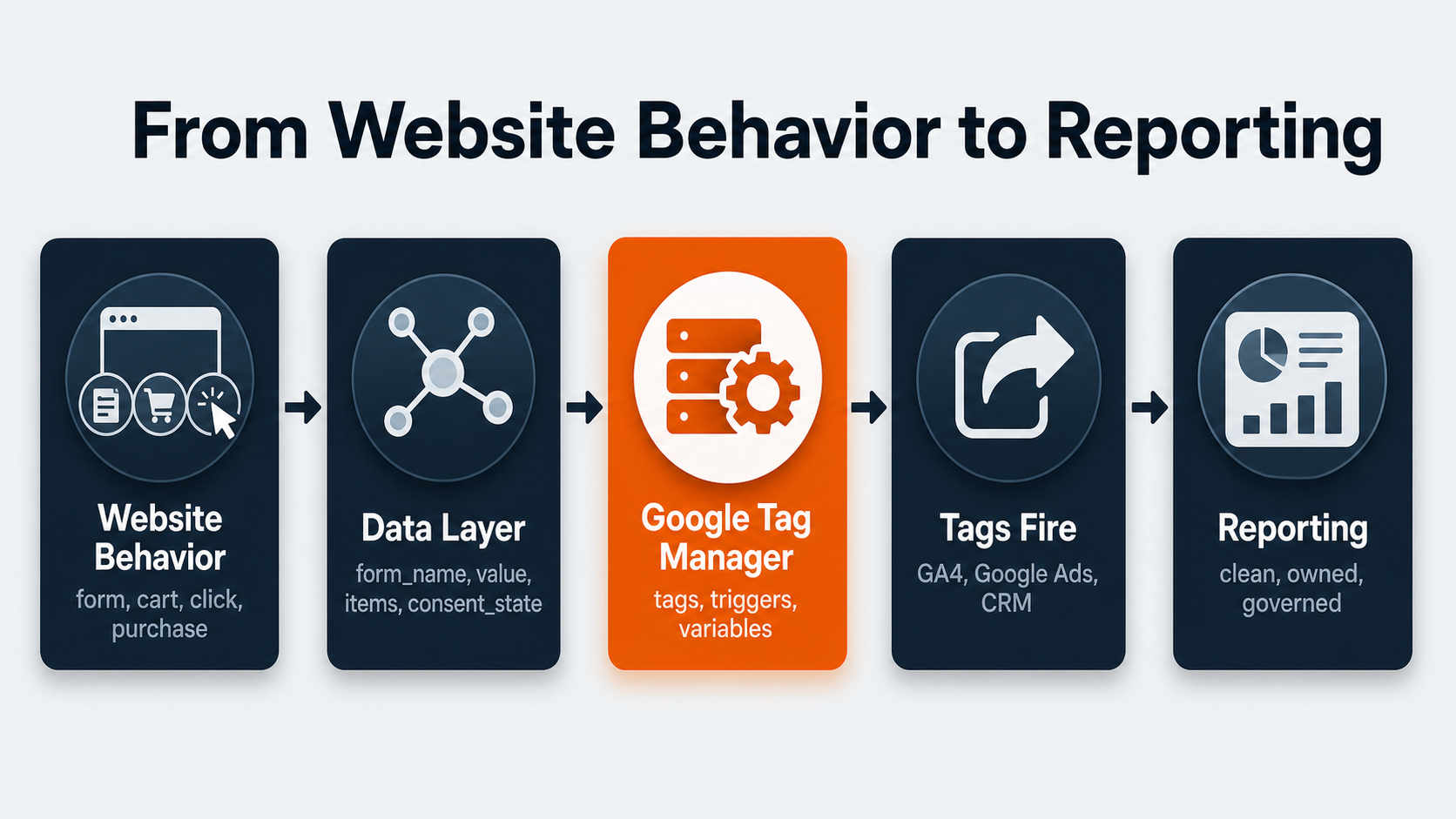
For a simple page view tag, GTM may not need much extra information. For a lead-generation or ecommerce site, the data layer can carry values such as form name, lead type, product ID, cart value, checkout step, order ID, coupon, customer type, or page category. Google’s data layer guide explains how variables and events can be pushed for GTM to use, and that naming conventions should be consistent.
The goal is to define the details that answer real business questions:
- Which forms generate qualified leads?
- Which campaigns drive quote starts, not just visits?
- Which product categories create cart additions but not purchases?
- Which phone calls, demos, or form fills should count as conversions?
- Which events should be blocked until consent is granted?
A clean data layer also makes the handoff between marketing, analytics, and development much clearer. The marketing team can define what it needs to measure. The analytics team can define names and reporting destinations. The development team can expose stable values. GTM can then use those values in tags and triggers.
Without that contract, GTM becomes a place where teams guess from button text, CSS classes, URLs, and fragile click rules. That may work for a quick test, but it will not hold up as a durable measurement system.
How GTM Supports GA4, Ads, And Conversion Tracking
Google Tag Manager often sits between the site and the tools that use behavior data. That includes GA4 consulting and implementation, Google Ads conversion tracking, remarketing platforms, call tracking systems, CRM handoff tools, and analytics services.
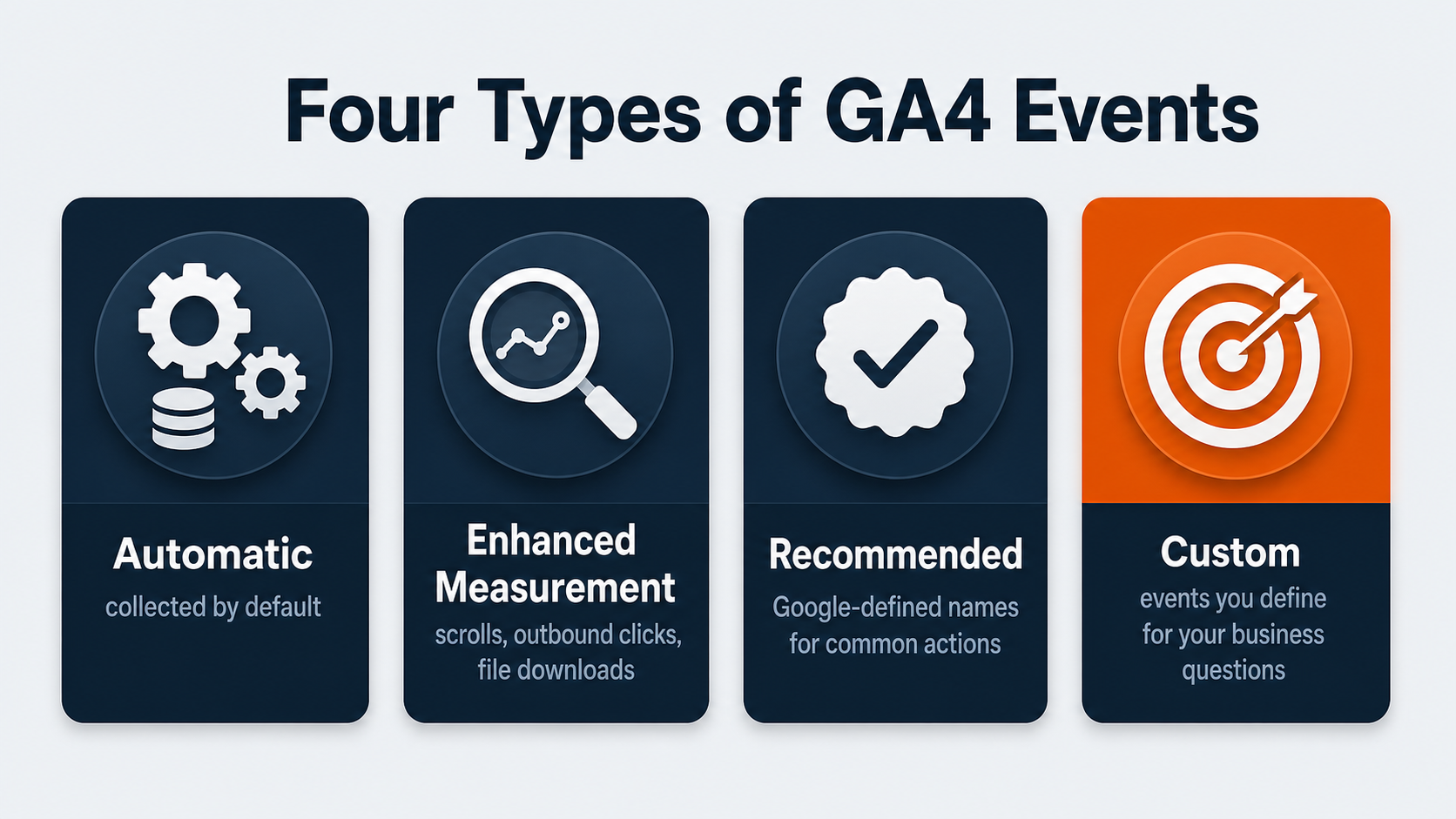
For GA4, GTM can send events that measure user interactions. Google’s GA4 events guide groups events into automatic, enhanced measurement, recommended, and custom events. A business should not start by asking how many custom events it can create. It should start by asking what decisions the reports need to support.
For a lead-generation site, useful events might include form starts, successful form submissions, phone-call clicks, demo requests, quote starts, service-page engagement, or location-specific lead actions. For ecommerce, Google’s GA4 ecommerce event guidance covers item views, add-to-cart actions, checkout behavior, purchases, refunds, and item arrays. Those details matter because revenue reporting depends on more than a generic purchase tag.
For paid media, GTM can help deploy conversion tags and ad pixels for platforms that need to measure campaign results. The risk is duplication. If a Google Ads conversion fires once from GTM and again from another integration, the platform may count two conversions. If consent behavior is wrong, a tag may fire earlier than it should. If the trigger is too broad, a thank-you page refresh may inflate results.
Good GTM governance connects platform setup to reporting logic:
- Which event is a primary conversion?
- Which event is a secondary diagnostic action?
- Which platform receives the event?
- What value, currency, lead type, or campaign detail should be passed?
- What consent state is required before the tag fires?
- How will the team test and monitor the result?
That is where analytics services and online lead attribution often become part of the same conversation. GTM can publish the tag, but the business still needs a shared definition of what the tag means.
Consent Mode Makes Governance Part Of The Setup
Consent is one of the clearest reasons GTM needs ownership. Google Tag Manager includes consent settings, consent checks, a consent overview, and consent types such as analytics_storage, ad_storage, ad_user_data, and ad_personalization in its Tag Manager consent documentation. Google’s consent mode setup guide also documents that consent defaults and updates need to happen in the right order.
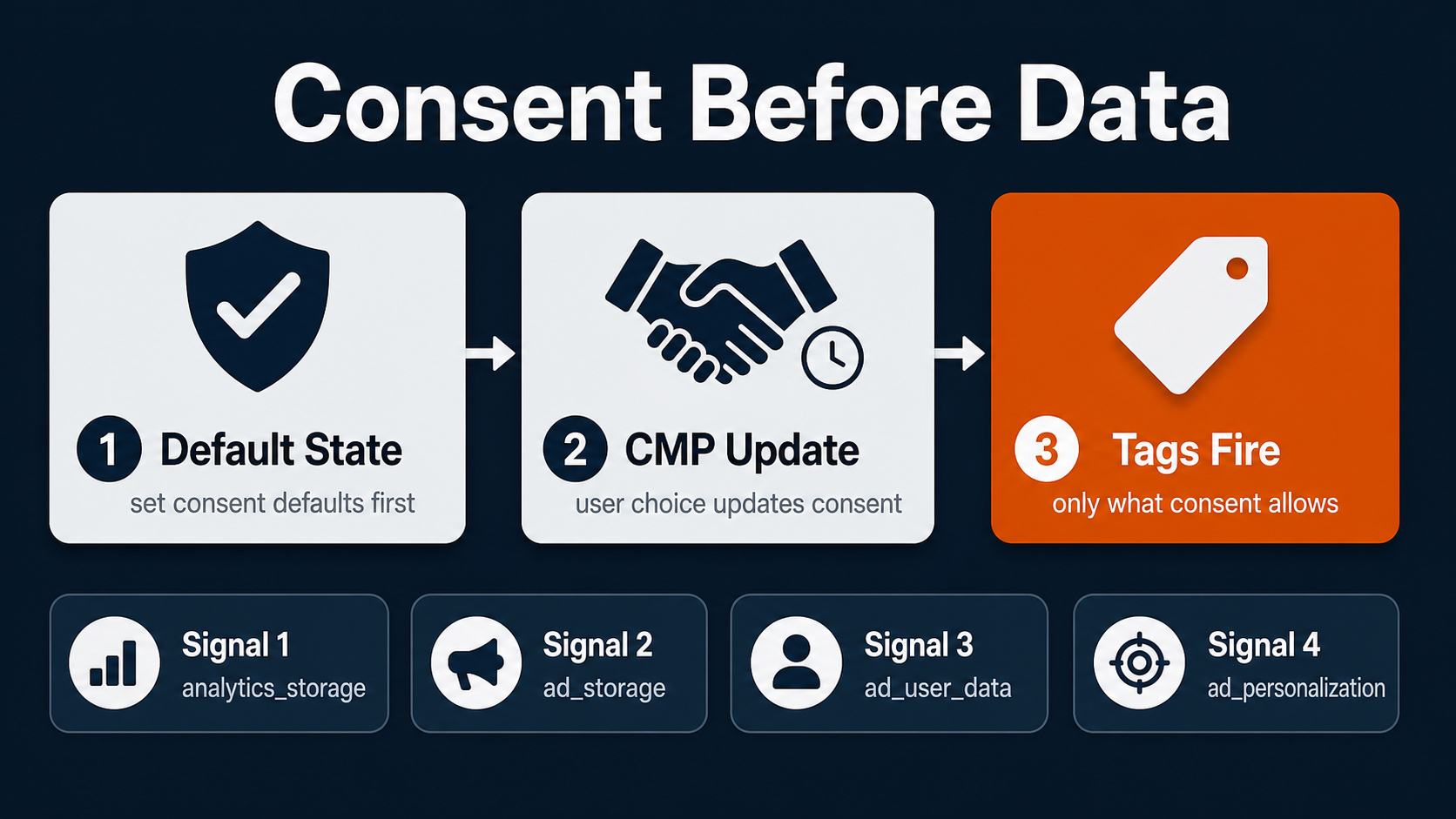
In plain English, tags should respect the user consent state before they collect or send data. That may require a consent management platform, a Consent Initialization trigger, tag consent settings, and coordination between legal, analytics, development, and marketing teams.
GTM does not guarantee compliance. A container can only enforce the logic that the business defines and implements. Consent requirements vary by jurisdiction, platform, data use, and company policy. The article you are reading is not legal advice.
From a measurement perspective, consent mode also affects data quality. If the default state is wrong, tags may fire too early. If consent updates are late, events may not reflect the final user choice. If different vendors handle consent in different ways, reports may disagree.
Treat consent setup as part of the measurement plan, not as a banner that gets added after everything else. The practical questions are:
- What is the default consent state?
- Which CMP controls the user choice?
- Which tags need built-in or additional consent checks?
- Which events can fire before consent, if any?
- Who verifies consent behavior in Preview Mode and reports?
For businesses running Google Ads management, analytics, remarketing, and lead tracking together, this governance step is not optional housekeeping. It is part of the data-quality foundation.
Preview Mode And Tag Assistant Keep Bad Tags Out Of Production
One of GTM’s most useful business features is that changes can be tested before they are published. Google Tag Manager Preview Mode lets a team browse a site as if a draft container were deployed. Tag Assistant helps verify which tags fired, which did not, what events were detected, and what data was available.
This is where GTM can reduce risk. Instead of publishing a new conversion tag and hoping the platform reports correctly next week, a team can test the actual event path before release.
A practical QA pass should answer:
- Did the right event happen?
- Did the right tag fire once?
- Did any tag fire when it should not?
- Did consent state affect the tag correctly?
- Did the data layer include the expected fields?
- Did the event arrive in GA4, Google Ads, or the reporting tool?
- Was the change saved in a named container version with notes?
GTM Can Help Or Hurt Site Performance
The old way of explaining GTM often stops at “it keeps scripts out of the codebase.” That is true, but incomplete.
GTM can make tag management cleaner because a team can see more scripts in one place, pause or remove old vendors, and publish changes through versions. It can also make performance worse if the container becomes a collection point for every analytics script, heatmap tool, chat widget, ad pixel, call tracking script, and experiment vendor.
The browser still has to load and run the tags that fire. A tag manager does not make third-party scripts free. It just gives the business a better place to control them.
Performance governance should be part of GTM ownership:
- Remove retired vendor tags.
- Audit tags that fire on every page.
- Limit broad triggers when only a few pages need the script.
- Check whether duplicate tags exist through plugins, hard-coded snippets, and GTM.
- Review heavy scripts before adding them to the container.
- Coordinate with web development when tracking depends on site architecture or data layer work.
OuterBox treats GTM as part of analytics implementation, not as an unlimited script shelf. That distinction matters when a business is trying to improve reporting and site experience at the same time.
When Server-Side Tagging Becomes Worth Considering
Server-side tagging is a more advanced GTM setup where some tag processing moves from the user’s browser to a server container. Google’s server-side tagging overview describes performance, privacy-control, and data-quality benefits while using a familiar tag, trigger, and variable model.
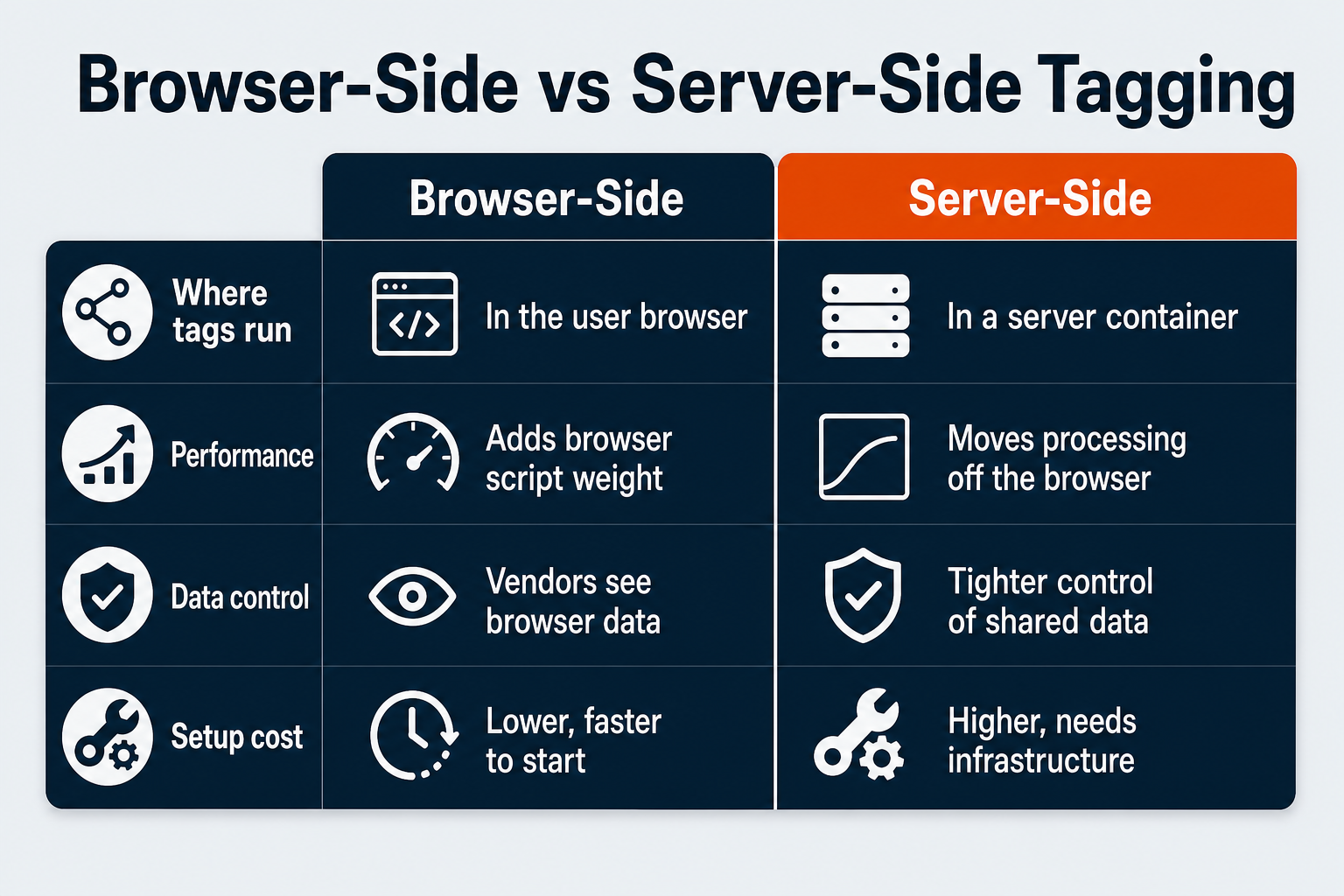
That can sound like an immediate upgrade, but it is not the right first step for every business. Server-side tagging adds infrastructure, cost, ownership, and testing requirements. It may involve Google Cloud Platform or another supported server environment. It also needs careful consent and vendor configuration.
Server-side GTM becomes worth considering when:
- Browser-side tag volume is creating performance pressure.
- Conversion data quality is a recurring business problem.
- The company needs tighter control over what data is shared with vendors.
- Analytics, paid media, and development teams can support the setup.
- The business has enough conversion value to justify the operational work.
For many companies, the right first move is simpler: clean the container, define events, fix consent behavior, document ownership, and improve QA. Server-side tagging can follow after those basics are under control.
What To Hand Off To Analytics Services
If GTM is the measurement handoff layer, the handoff needs to be explicit. A useful setup maps business questions to events, consent logic, reporting destinations, and QA proof.
A Google Tag Manager services or consulting partner should leave your team with the same map: events, triggers, consent assumptions, QA proof, and reporting owners.
Use a GTM Governance Map like this:
| Event | Business question | Trigger/source | Data layer fields | Consent requirement | Reporting destination | Owner/QA evidence |
|---|---|---|---|---|---|---|
| generate_lead | Which pages produce qualified inquiries? | Successful form submission | form_name, service, location, lead_type | analytics and ad consent as required | GA4, Google Ads, CRM | Analytics owner, Preview Mode screenshot |
| quote_start | Where do quote requests begin? | Quote button or form start | page_path, service, button_text | analytics consent | GA4 funnel report | Marketing analytics, Tag Assistant test |
| purchase | Which campaigns drive revenue? | Order confirmation event | transaction_id, value, currency, items | consent and ecommerce policy | GA4 ecommerce, ad platform | Ecommerce analytics, test order validation |
| call_click | Which pages drive phone intent? | Click on tracked phone link | page_path, phone_location, service | analytics consent | GA4, call tracking, lead attribution | Paid media or analytics owner |
This kind of map keeps teams focused on measurement meaning instead of tool arguments. It also helps CRO services connect experiments to events, helps paid media teams avoid duplicate conversion actions, and helps analytics teams document why a report changed.
The final handoff should include:
- Event names and definitions.
- Trigger rules.
- Data layer requirements.
- Consent requirements.
- Reporting destinations.
- Platform conversion settings.
- QA evidence.
- Version notes.
- Owner names or roles.
- Known limitations.
When those pieces are documented, GTM becomes the operational layer that keeps measurement changes accountable.
Google Tag Manager FAQ
What does Google Tag Manager do?
Google Tag Manager manages tracking tags, triggers, variables, and container versions from one interface. Businesses use it to send website behavior data to tools such as GA4, Google Ads, remarketing platforms, call tracking systems, and analytics services.
Is Google Tag Manager the same as Google Analytics?
No. GTM deploys and controls tags. Google Analytics 4 receives and reports analytics data. GTM can send GA4 events, but it does not replace GA4 reporting.
Do marketers still need developers if they use GTM?
Yes, for many important setups. Developers are often needed for the base container install, data layer values, ecommerce events, consent behavior, checkout tracking, and server-side tagging. GTM reduces repeat code requests after the foundation is built.
Can Google Tag Manager slow down a website?
Yes, if the container is poorly governed. GTM can help centralize control, but every third-party script still has performance cost. Container cleanup, trigger discipline, and vendor review matter.
How does GTM help with consent mode?
GTM can use consent settings, consent checks, and consent-aware triggers so tags respond to a user’s consent state. The setup still needs clear policy, CMP integration, QA, and legal review where required.
When should a business get help with GTM?
Get help when conversion data is unreliable, GA4 events are unclear, ad platforms disagree with analytics, consent behavior is uncertain, ecommerce tracking is incomplete, or no one owns the container. At that point, the measurement system around the tag usually needs attention.