
WordPress Web Design Agency for Complex, Growth-Ready Sites
OuterBox builds WordPress web design services around the whole job: strategy, UX, custom design, development, content modeling, SEO-ready architecture, performance, QA, launch, and post-launch support.
"*" indicates required fields
"*" indicates required fields






WordPress Web Design Services for Complex Builds
A WordPress web design agency should help you plan the CMS, content structure, performance requirements, and long-term editing needs before design or development begins. Otherwise you can find yourself with a slow, plugin-heavy, hard to edit, and expensive brick with a theme instead of a strong strategy. Your site should look like your brand, load quickly, give editors the right controls, and support the marketing work that happens after launch.
A good WordPress website is not just a set of designed pages inside a popular CMS. It is a publishing system, lead-generation system, content library, form path, analytics source, and long-term marketing asset.
That means the hard decisions need to happen early. What content types will your editors manage? Which pages need structured fields? Which forms connect to the CRM? Which plugin owns redirects, schema, security, caching, and image handling? Which templates need to rank, convert, and stay easy to update six months from now?
OuterBox connects web design services with WordPress development, technical SEO, CRO, analytics, and maintenance planning so those answers are built into the project. Your team gets a site that can launch cleanly and keep working after the handoff.
Our WordPress Website Design & Development Process
Our WordPress website design services cover discovery, custom design, content modeling, development, performance, QA, launch, training, and support. The workstreams below show how the WordPress project moves from early scope decisions through design, CMS setup, performance, launch, and long-term support. Your team keeps that support after launch through our WordPress maintenance and support plans.
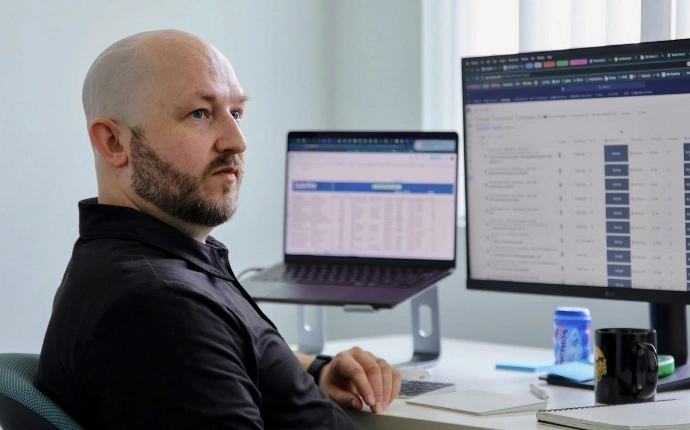
Discovery that settles scope and the content model before design starts
Your goals, traffic patterns, and integrations get mapped before any wireframe gets sketched. Discovery on a WordPress build produces three things your team can use: a content model naming every post type and field your editors will manage, an integration map showing where the site connects to your stack, and a success-metric list defining what good looks like in production.
Stakeholders sign off on a written requirements document before the design phase opens. That document covers feature scope, content migration, third-party integrations, accessibility posture, and launch milestones tied to each phase. Editors, marketing, and engineering each see what they are responsible for and when.
Sites that launch on this foundation avoid the mid-build scope shift that resets your launch date and burns the budget you set aside for content.
Custom WordPress themes built from your brand rather than a marketplace template
Your brand is the starting point on every custom WordPress design project. Marketplace themes rarely fit without ten plugins stacked on top to make them look like yours, and those plugins compound over time. Custom WordPress web design that begins from a blank canvas keeps the load light, the editor experience tight, and the visual system actually yours. Your team gets custom website design anchored in the system you already use, so the site reads as you on the first visit.
- Your team walks through wireframes and Figma mockups before code gets written, locking the design before development begins.
- Your editors inherit a custom WordPress theme written against your design system, editorial workflow, and performance budget.
- Your team gets the brand system documented, including component patterns, type scale, color use, and reusable modules.
- Your buyers and editors land on type hierarchy, spacing, and color contrast anchored to accessibility-minded design.
Visitors should recognize the brand before they read a word. That recognition is what carries them past the fold.
CMS setup that lets editors ship without filing a developer ticket
Your editors should open the admin and find a WordPress CMS shaped to the work, not WordPress defaults laid bare. Custom post types replace generic Post and Page where the content needs structure. Fields replace freeform editing where consistency matters. The layout blocks your team uses every week sit where editors can find them.
- Editors get custom post types and taxonomies modeled to your content instead of forcing everything into generic pages.
- Structured fields, including Advanced Custom Fields where appropriate, keep repeatable content clean.
- Gutenberg blocks or custom editor controls are set up for the layouts your team actually uses.
- Irrelevant menus, fields, and widgets can be removed before training starts.
- The stack stays lighter by default, chosen over plugin sprawl to protect load times and reduce maintenance risk.
Your editors can ship content updates without filing a developer ticket every time a campaign needs a new landing page or hero image. For broader CMS planning, see our guide to content management system planning.
Core Web Vitals and technical SEO planned into the WordPress build
Your search visibility on a new WordPress site starts taking shape before the first page goes live. URL structure, template code, image handling, schema, internal links, redirects, metadata, and crawl behavior all depend on decisions made during the build.
- Pages are built toward Google’s documented Core Web Vitals thresholds: LCP within 2.5 seconds, INP at 200 milliseconds or less, and CLS at 0.1 or less.
- Technical SEO planning covers crawlable templates, clean URL rules, metadata defaults, schema markup, redirects, and XML sitemap behavior.
- Responsive images, modern formats, lazy loading, and careful script governance help protect load time.
- GA4, Search Console, form tracking, and conversion events are planned before launch.
- WordPress SEO plugin settings are treated as controls inside a larger strategy, not the strategy itself.
Technical SEO services can go deeper after launch, but the build should not create cleanup work that could have been avoided.
QA and launch planning that keeps cutover from becoming a fire drill
Launch day should not feel like a fire drill. QA needs to run before sign-off, across the templates, forms, browsers, devices, redirects, analytics events, and editor workflows your team will use in the real site.
Your team gets a rollback plan before the deploy starts. The database state, DNS path, redirect map, form routing, and tracking setup are checked before traffic hits the new site. Accessibility checks, performance reviews, and cross-browser testing happen early enough to fix issues without delaying the whole project.
Traffic finds the new site without redirect breakage. Editors find the same admin experience they tested in staging. Nothing important should surprise your team after cutover.
Support and growth from the same WordPress team that built the site
Your live site is what you bought when you signed up for WordPress web design services. The launch ticket and kickoff deck are stops along the way. The site itself is the thing your buyers, editors, and revenue depend on.
- Your stack stays current through web maintenance services that cover WordPress core, plugins, themes, backups, and monitoring. Releases get tested on staging before they reach production, and someone owns the call when an update breaks a template.
- Uptime, error, and performance alerts route to a support queue instead of landing on editors mid-campaign.
- SEO, content, and conversion rate optimization services can continue past launch instead of letting the launch peak fade.
- Bugs, template adjustments, and new landing pages go back to the group that built the site, so nobody has to re-explain the architecture first.
- Editors get refreshers as staff turns over, and analytics feed the next round of template, content, and conversion work.
Your team keeps one WordPress partner past launch, handling patches, performance tuning, content additions, and small features as the site continues earning.
When WordPress Services Are The Right Fit
WordPress is often a strong fit for content-led companies, lead-generation and professional services sites, B2B and publishing-heavy teams, and resource libraries where marketing needs fast editorial control. It also supports WooCommerce and lighter commerce when the catalog, checkout, and integration needs are clear.
Platform fit matters. A large eCommerce catalog, complex B2B pricing model, marketplace build, or custom application may be better served by Shopify, BigCommerce, Magento, or a custom path. You need a platform your team can operate and your buyers can trust, and when that is WordPress we build it that way from the start.
Custom Themes for WordPress Website Development
-
Theme-first shortcuts get named early. A close-enough theme, one-off form plugin, slider plugin, schema plugin, and caching plugin can quickly turn into an admin no one owns.
-
Performance risk stays visible. WordPress warns that plugin count and plugin performance can affect speed, and theme quality affects performance too.
-
The CMS model is built around your team. Reusable components, structured fields, controlled blocks, page templates, and form patterns are planned before editors inherit the site.
-
Plugin choices are governed. SEO rules, performance budgets, redirects, security, caching, and image handling are assigned deliberately instead of left to plugin sprawl.
-
The build stays usable after handoff. The point is not to make WordPress complicated. The point is to remove avoidable complexity before it becomes your team’s problem.
WordPress Services Built To Survive Launch
The best WordPress projects feel calmer because the operating details are named early: what is being built, who approves each step, what content is needed, and what happens after launch.
Why Choose OuterBox as Your WordPress Web Design Agency
The difference is ownership. Your WordPress web design agency should know how the site has to look, how editors have to use it, how search engines have to crawl it, and how the business will measure it.

- Strategy: Discovery defines goals, audiences, content models, integrations, and success metrics before design starts.
- Theme approach: A custom WordPress theme is built around your brand, CMS workflow, and performance budget.
- CMS ownership: Editors get structured fields, reusable blocks, roles, training, and admin controls shaped to their work.
- SEO foundation: Crawlability, metadata, schema, redirects, internal links, and page speed are planned during the build.
- Performance: Theme weight, image handling, caching, scripts, and Core Web Vitals targets are part of the project plan.
- QA and launch: Forms, redirects, devices, browsers, tracking, accessibility checks, and rollback planning are tested before launch.
- Support: Maintenance, updates, monitoring, SEO, CRO, and feature work can continue with the same team.
Typical Theme-First Provider
- The project may begin with visual direction before technical and editorial needs are clear.
- A marketplace theme may need extra plugins and workarounds to fit the brand.
- Editors may inherit a cluttered admin with too many generic options.
- SEO may be handled after launch, when template issues are harder to unwind.
- Speed may be addressed through plugins after the site is already heavy.
- Launch review may focus on visual approval and a short browser check.
- Handoff may leave your team to coordinate fixes across separate vendors.
Two Engagements That Grew Traffic, Leads and Revenue
Keystone Law Group and Fanuc World both rebuilt with the marketing work planned into the build rather than added afterward.

Keystone Law Group
Keystone Law Group rebuilt on WordPress alongside its SEO program: navigation, content consolidation, migration and Zoho CRM tracking. The published Keystone Law Group case study reports a 114% website traffic increase, a 96% increase in leads, and 3,606 keyword rankings compared with 1,908.

Fanuc World
Fanuc World came to OuterBox with an antiquated site and a thousands-deep SKU catalog. Fanuc World paired search strategy with a custom cart platform and paid media across a large industrial parts catalog, producing 550% online revenue growth and a 249% traffic lift.
From Start-Ups To Fortune 500 Companies, Our Clients Are Succeeding Online










Other Web Design Services from OuterBox
Related Web Design and WordPress Development Services


Meet The OuterBox WordPress Web Design Agency
OuterBox is a digital marketing agency built for companies that need specialized depth and a steady partner. Since 2004, our team has helped clients grow through SEO, paid media, web design, CRO, email, analytics, and strategy that stays connected after launch.
The scale matters because WordPress work crosses disciplines. Your web design team, developer, SEO specialist, CRO specialist, email team, and analytics lead all need to understand the same pipeline problem. That is why a WordPress web development company should keep those specialists in-house, and why OuterBox brings USA-based experts together around one operating system.
After 20+ years, the work is rated 4.8/5 across 867 reviews.
20+ Years
Digital Marketing Agency
1,000+
Successful Client Partnerships
2M+
Page-One Google Rankings
300+
USA-Based, In-House Experts
WordPress Web Design Estimate
Get Your WordPress Web Design Estimate
Tell us what your WordPress site needs to solve: a redesign, a new custom theme, a CMS your editors can run, cleaner SEO foundations, stronger performance, a safer launch, or support after the site goes live.
We will review your goals, ask the right scoping questions, and recommend the WordPress design and development path that fits your team, timeline, and budget. Prefer to talk now? Call (866) 647-9218 between 9 and 5 EST.
Services
"*" indicates required fields
Build a WordPress Site Your Team Can Run After Launch
Tell us what the site has to do, and we will map the build, the CMS your editors will live in, and the support that follows it.
"*" indicates required fields
"*" indicates required fields
WordPress Development Services FAQs
What are WordPress web design services?
WordPress web design services plan, design, build, launch, and support a custom website on WordPress. The work can include strategy, UX, custom theme design, CMS setup, content migration, forms, analytics, SEO foundations, QA, training, and maintenance.
How much does a custom WordPress website cost?
Cost depends on page count, design depth, content migration, custom functionality, integrations, QA needs, and post-launch support. The legacy OuterBox source framed many custom WordPress projects in the $5,000 to $50,000 range, but every estimate should be scoped to the actual build. For more detail, use our guide to WordPress website design pricing.
How long does a WordPress website project take?
Timeline depends on scope, approvals, content readiness, integrations, and QA. The old page framed many WordPress builds at 4 to 12 weeks, but larger custom builds can take longer. Discovery gives your team a timeline tied to real deliverables.
Is WordPress the right CMS for my website?
WordPress is often a strong fit for content-led and lead-generation websites. It may not be the best fit for every complex commerce, marketplace, or application-style project. OuterBox evaluates the site goals, integrations, catalog needs, content workflow, and maintenance model before recommending a path.
Do I need coding skills to manage a WordPress website?
No, day-to-day editing should not require coding when the CMS is planned well. Developers are still important for custom functionality, troubleshooting, performance tuning, security updates, and deeper changes. The goal is to give editors the right controls without exposing them to fragile code decisions.
How does WordPress web design support SEO?
The build affects SEO through URLs, metadata, headings, schema, internal links, page speed, image handling, redirects, and crawlable templates. A good WordPress build gives SEO a clean foundation. A deeper SEO campaign belongs on the SEO for WordPress side once the site is live or already ranking.
Can OuterBox help with WordPress maintenance after launch?
Yes. WordPress maintenance can include core, theme, and plugin updates; backups; monitoring; performance checks; security review; content additions; and small feature work. Ongoing support helps the site stay useful instead of aging into a new rebuild too quickly.
Can OuterBox build WooCommerce or eCommerce WordPress sites?
Yes, when WooCommerce or WordPress commerce is the right fit. If a larger catalog, B2B pricing model, checkout requirement, or integration stack points to another platform, we will say that during discovery. The platform should fit the business, not the other way around.
Related Articles: WordPress Web Design
Web Design | 5 min read
If you’re looking to build a WordPress website you’re probably wondering “How much do WordPress website design services cost?” and “How does WordPress website pricing…

Web Design | 5 min read
Wireframe design is the process of creating a preliminary visual guide of a potential website’s framework. This document can then serve as a blueprint for…

Web Design | 5 min read
Just like the latest technology advancements, website design is constantly evolving. What was cutting edge just a few years ago is quickly outdated because of…