By: Jeff Hirz
Magento can be a strong SEO platform, but it is rarely a low-maintenance one. The same flexibility that makes Magento and Adobe Commerce useful for large catalogs also creates places where crawl paths, product URLs, filters, templates, and indexers can drift out of control.
That is why Magento SEO is usually less about one plugin or one setting and more about governance. SEO, development, merchandising, and analytics need to agree on which pages should rank, which paths should stay out of the index, and how catalog changes get tested before they reach production.
If your Magento store is losing rankings, wasting crawl budget, or sending Google mixed signals, start with the issues below. They preserve the original Magento SEO problem list from this article, but update the fixes for current Adobe Commerce and Google guidance.
For help beyond diagnosis, OuterBox provides Magento SEO services for stores that need technical SEO and platform support under one plan.
Magento SEO issues to check first
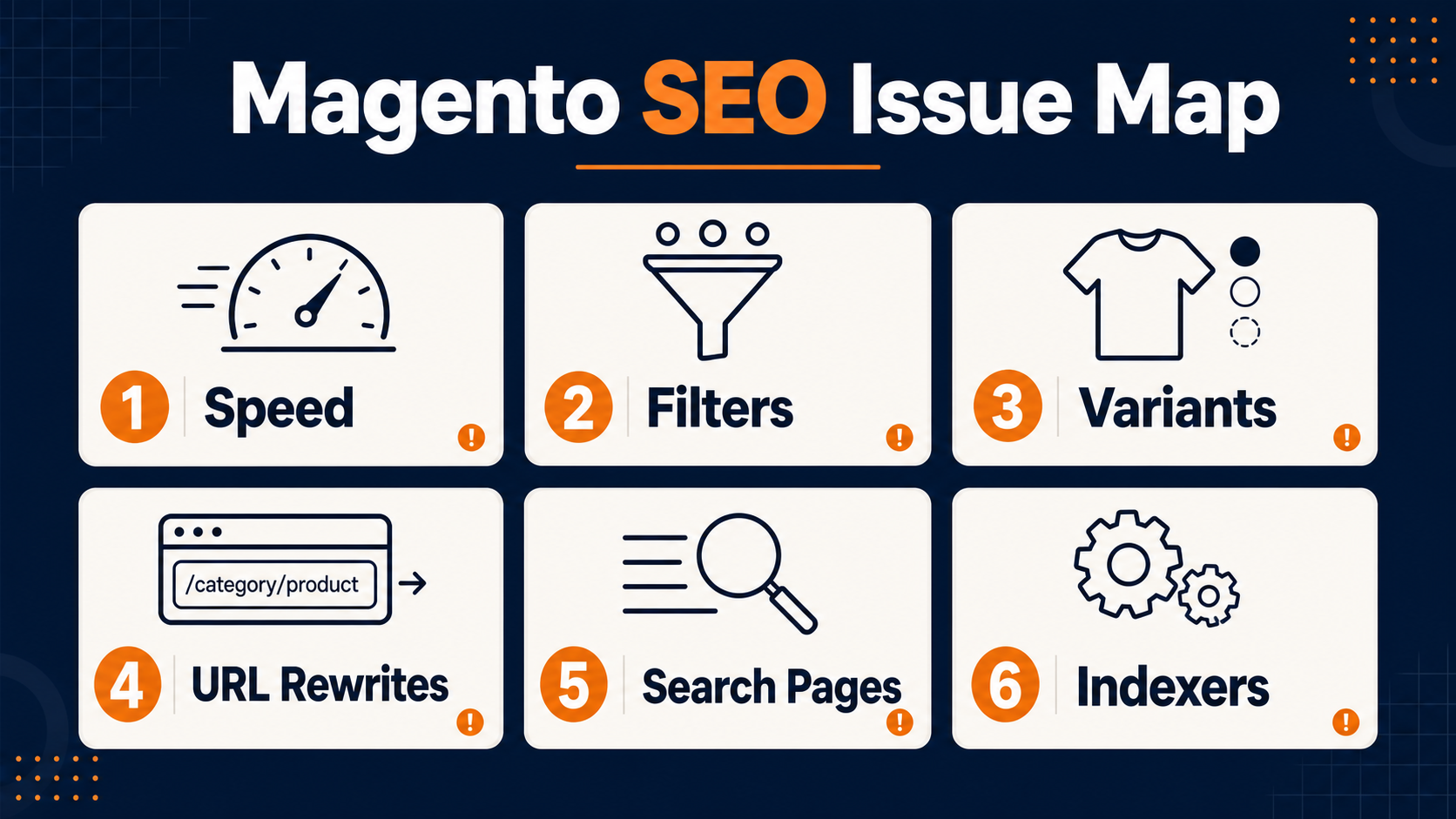
Most Magento SEO issues fall into a few repeatable buckets:
- Slow page speed and poor Core Web Vitals.
- Parameter URLs created by layered navigation or faceted filters.
- Product variants that duplicate titles, descriptions, copy, and URLs.
- Category paths and URL rewrites that create multiple product URLs.
- Internal search pages, filtered pages, or empty pages entering the index.
- Indexers, cron jobs, cache, or catalog search data falling out of sync.
- Product templates that repeat weak metadata or miss structured data.
- Migration, redesign, or theme changes that reopen old SEO problems.
You do not have to fix every issue at once. Start with the problems that affect crawling and indexation, then move into speed, templates, structured data, and content quality. A beautiful category page cannot rank well if Google is spending most of its crawl time on duplicate filters, stale search URLs, or rewritten product paths.
1. Slow Magento page speed and Core Web Vitals problems
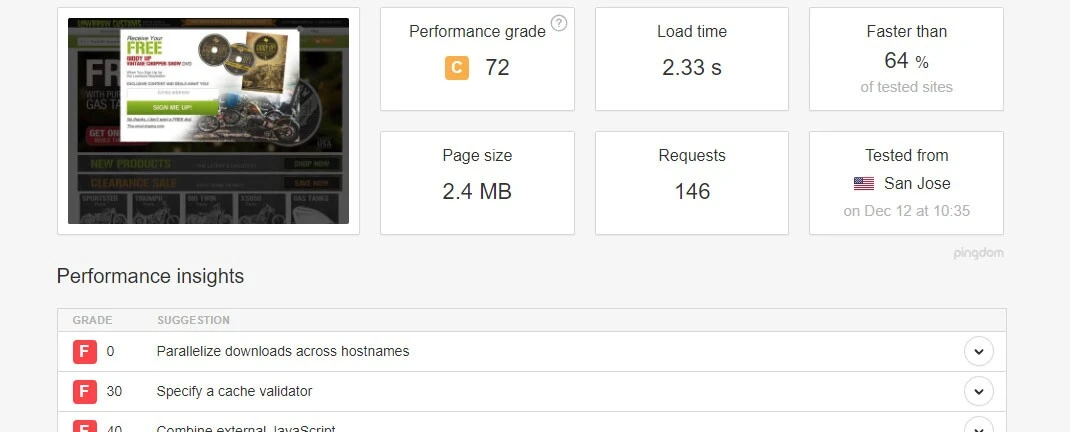
The original issue still matters: a slow Magento store can hurt users, crawling, and organic performance. The current version of that issue is broader than load speed alone.
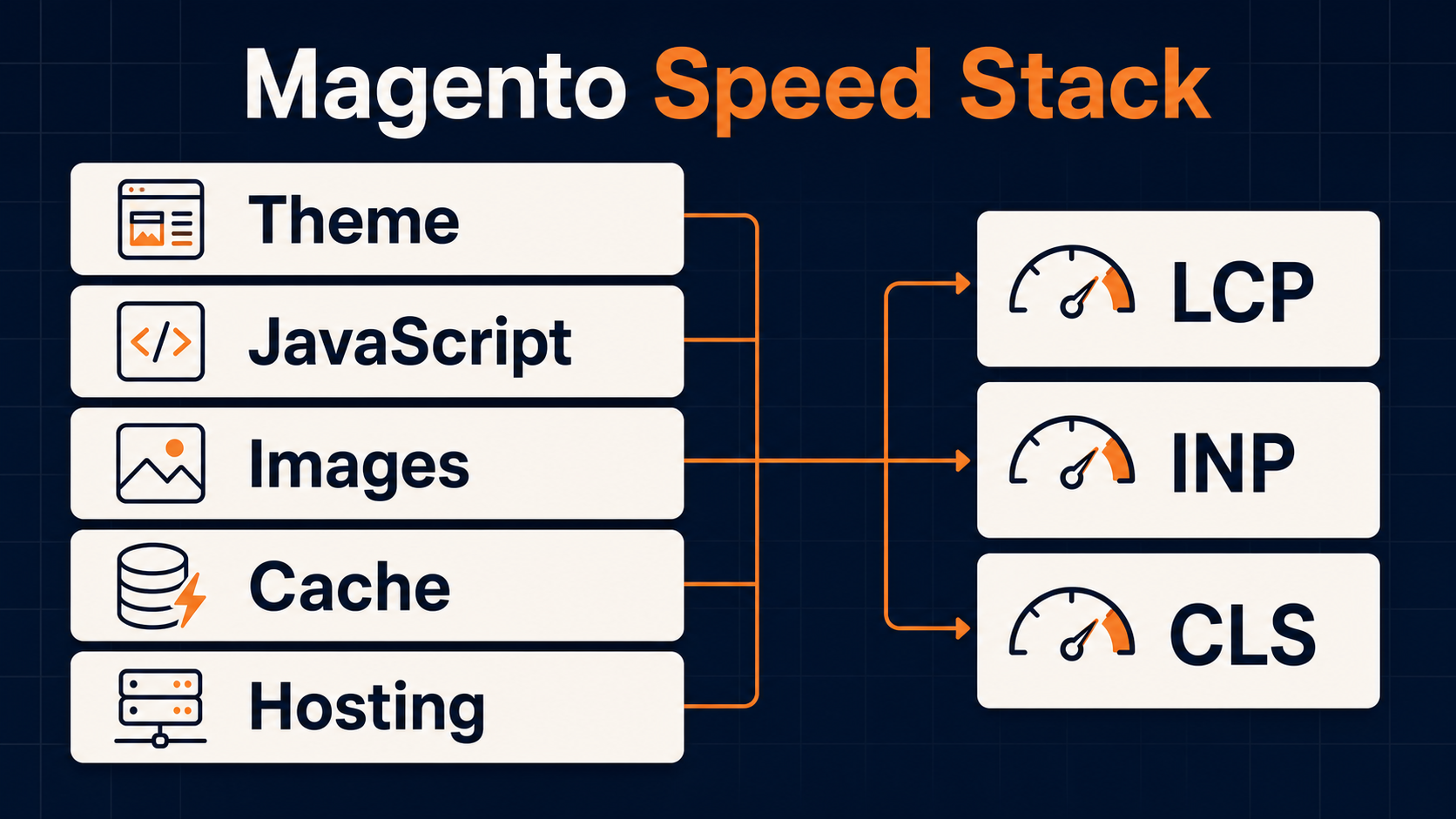
Google’s Core Web Vitals focus on Largest Contentful Paint, Interaction to Next Paint, and Cumulative Layout Shift. In plain terms, Magento pages need to load the main content quickly, respond fast when shoppers interact, and avoid jumping around while assets load. The web.dev thresholds are LCP within 2.5 seconds, INP at 200 milliseconds or less, and CLS at 0.1 or less at the 75th percentile of page loads.
Magento stores can miss those marks for several reasons:
- Themes load heavy JavaScript before product or category content is usable.
- Extensions add CSS, scripts, tracking, widgets, or layered-navigation behavior across too many templates.
- Images are not sized, compressed, lazy loaded, or prioritized correctly.
- Full-page cache, block cache, CDN, or server configuration is misaligned with how the storefront actually renders.
- Third-party tags delay interaction, especially on product detail pages and checkout-adjacent templates.
Speed work should be page-type specific. Test the home page, top category pages, product pages, search results, and high-traffic filtered entry points separately. A fast home page does not prove that product templates, configurable products, layered navigation, or category pagination are healthy.
The fix usually sits between SEO and development. SEO can identify the templates that matter most and the metrics failing in field data. Developers need to inspect the theme, modules, cache behavior, image delivery, and server response patterns. If the site is already due for platform work, bring speed into the development scope instead of treating it as a separate cleanup item. Our Magento web development team handles this kind of SEO-sensitive implementation when the fix needs code, theme, or extension changes.
2. Layered navigation can create crawl traps
Layered navigation is useful for shoppers. It lets them filter large product sets by category, price, color, size, material, rating, or other product attributes. The SEO risk is that each filter can create another URL, and each additional combination can create another version of a category page.
Adobe’s layered navigation documentation explains how filterable attributes work in Commerce. Attributes must use supported input types, and the Use in Layered Navigation setting controls whether values appear as filters. For many stores, Filterable (with results) is safer than showing every possible zero-result filter value.
The issue is not that faceted navigation exists. The issue is having no indexation policy for the URLs it creates. Common problems include:
- Google discovers thousands of low-value parameter URLs.
- Multiple filtered URLs show nearly identical product sets.
- Internal links point to filtered states instead of canonical category URLs.
- Crawl budget gets spent on combinations that will never rank or convert.
- Link equity splits across duplicate category variants.
The old advice often pointed teams toward robots.txt or Google Search Console parameter handling. Today, be more careful. Google’s canonicalization guidance says not to use robots.txt for canonicalization. Robots.txt can help control crawl patterns in specific cases, but it does not consolidate ranking signals the way redirects or rel=canonical can.
A better process is to classify filtered URLs into three groups:
- Indexable landing pages: filter combinations with search demand, unique merchandising value, internal links, and enough product depth.
- Crawlable but not indexable utility pages: useful to shoppers, but too thin or duplicate for search results.
- Crawl-control candidates: parameter patterns, sort orders, session-like states, or infinite combinations that should not be encouraged through internal links.
For most Magento SEO programs, the answer is a mix of canonical tags, noindex rules, internal-link cleanup, sitemap discipline, and selective robots controls. The important part is consistency. If your canonical tag, sitemap, navigation links, and XML feed disagree, Google has to choose for you.
This is also where eCommerce SEO and merchandising need to stay aligned. SEO should not block every filter that helps shoppers buy. Merchandising should not expose every filter state to search without a reason.
3. Product variants can duplicate product pages
Magento product catalogs often have simple products, configurable products, grouped products, bundled products, and custom options. That flexibility is useful, but product variants can create duplicate SEO signals when the same product family is accessible through too many URLs.

The preserved issue from the original article is still accurate: product pages often duplicate meta information and content. Color, size, finish, voltage, dimension, pack size, or material variants can all create pages that look similar to search engines.
Google’s ecommerce URL structure guidance says product variants can use separate URLs, including path segments or query parameters. But optional query parameters should often point back to the base product URL as canonical. Google also recommends using the same URL in internal links, sitemap files, and canonical tags.
On Magento and Adobe Commerce sites, check for these issues:
- Configurable product variants indexed as separate near-duplicate pages without a clear reason.
- Simple child products exposed in XML sitemaps when only the parent product should rank.
- Product URLs changing based on category path, store view, or imported URL key.
- Product titles pulled directly from SKUs or internal naming conventions.
- Dynamic title templates creating hundreds of awkward or repeated title tags.
- Product descriptions copied across variants with no unique buying guidance.
The fix depends on the product model. Some variants deserve their own indexable pages because shoppers search that way. Others should consolidate into the parent product through canonical tags, internal links, and sitemap rules. Do not choose based only on what Magento can generate. Choose based on demand, product differentiation, merchandising value, and maintainability.
For large catalogs, title and meta templates are often necessary. The key is to build templates with useful variables: product type, brand, material, dimensions, application, model compatibility, or other attributes shoppers actually use. A title template that only repeats product name plus category will not solve Magento product page SEO.

4. URL rewrites can multiply duplicate paths
URL rewrites are one of the most common Magento SEO problems because they sit at the intersection of catalog management, imports, category changes, and redirects.
Adobe’s URL rewrite documentation explains that Commerce can create rewrites for product, category, and CMS URLs. When a URL changes, Commerce creates a permanent 301 redirect by default so old links point to the new address. That is useful, but it can become messy when products move through many category structures or imports update URL keys repeatedly.
Common rewrite problems include:
- Duplicate product URLs created by category paths.
- Stale rewrites after bulk imports or category moves.
- Redirect chains from old URL keys to newer URL keys.
- Numeric suffixes added because the intended URL key already exists.
- Internal links pointing to old redirected paths.
- XML sitemaps listing a different URL than the canonical tag.
Adobe also notes that category saves can generate many product and category rewrites in real time, which can cause performance issues for categories with many assigned products. That makes rewrite governance both an SEO issue and an operations issue.
The fix starts with a crawl. Identify duplicate product URLs, redirected internal links, non-canonical sitemap URLs, URL-key suffixes, and category paths that should not be indexable. Then decide which product URL pattern should be canonical before developers or merchandisers start cleaning rewrite tables. If the preferred pattern is not defined first, cleanup work can create a new set of duplicates.
When this overlaps with development, use a Magento development partner that understands SEO consequences. URL-key cleanup without redirect, canonical, sitemap, and internal-link checks can cost more than it fixes.
5. Internal search pages and filtered pages can enter the index
Internal search pages usually help shoppers, not search engines. If Google indexes your Magento search results, you can end up with thin pages, duplicate pages, empty pages, or weird query pages competing with category pages.
The original article called this out directly, and the fix is still important. For most stores, internal search result pages should use noindex rules, and your internal links should point users toward real categories, buying guides, or product pages instead of search-result URLs.
Also check adjacent page types:
- Empty categories that still return indexable 200-status pages.
- Filtered category URLs with no unique value.
- Alternative sort orders such as price, newest, or rating.
- Pagination URLs that canonicalize incorrectly.
- Load-more or infinite-scroll product grids without crawlable links.
Google’s pagination guidance is clear that crawlers generally follow URLs in href attributes. They do not click buttons to reveal more products. If your Magento theme hides product access behind JavaScript, load-more controls, or uncrawlable interactions, you may need crawlable pagination, stronger XML sitemaps, and product feeds to help discovery.
This is a good place for an SEO audit because the fix is rarely one setting. It involves templates, robots directives, pagination, internal links, XML sitemaps, and sometimes product feed quality.
6. Adobe Commerce indexers and cron can become SEO issues
Older Magento SEO checklists often talk about indexation only from Google’s perspective. On Adobe Commerce, the platform’s own indexing system matters too.
Adobe’s index management documentation explains that Commerce uses indexers to update data for prices, categories, products, catalog search, inventory, and related areas. Indexers can update on save or on schedule. For large stores, Adobe recommends scheduled indexing because update-on-save behavior can create loops, deadlocks, high CPU usage, or database errors.
If indexers are invalid, delayed, or not running because cron is broken, SEO-facing pages can show stale or incomplete data. That can affect:
- Category product counts.
- Price and availability signals.
- Internal search results.
- Product-to-category relationships.
- Layered navigation behavior.
- Catalog search pages.
- Merchandising rules that change product visibility.
Adobe’s manage indexers documentation lists commands such as bin/magento indexer:status, indexer:reindex, and indexer:set-mode. Your SEO team does not need to run those commands, but someone should be checking indexer health after product imports, category changes, feed updates, launch work, and large merchandising pushes.
This is one of the reasons Magento SEO needs a technical operating rhythm. Organic traffic can drop after a catalog change even when no one touched title tags or copy. If indexers, cache, cron, or search data fail quietly, the storefront that Google crawls may not match what the business thinks it published.
7. Metadata, templates, and structured data can be too generic
Magento makes it easy to create product and category metadata at scale. It also makes it easy to create generic metadata at scale.
The original article warned that Magento can pull titles from product names, which may be ambiguous or weak. That is still true. The better fix is not to handwrite every title for every product. The better fix is to define where manual control matters and where templates can safely use catalog attributes.
Prioritize manual or semi-manual optimization for:
- Top category pages.
- High-margin product families.
- Products with strong non-brand search demand.
- Product pages with backlinks.
- Pages used in Google Shopping or organic product results.
- Buying guides and support content that internally link to products.
Use templates for long-tail products, but make them useful. Product type, brand, model, material, compatibility, application, size, and finish often carry more value than a repeated store name.
Structured data needs the same discipline. Product schema, breadcrumbs, reviews, availability, price, and variants should match the visible page content. If extensions inject markup that does not match the rendered product page, search engines receive another mixed signal. Treat schema as part of the template QA process, not an afterthought.
8. Migration and redesign work can reopen old Magento SEO problems
Magento sites often change in big moves: theme rebuilds, Adobe Commerce upgrades, Hyva implementations, PWA builds, catalog restructures, ERP integrations, or migrations to another platform. Those projects are useful, but they can reopen issues your team already fixed.
Before a launch, lock down the SEO rules that should survive the project:
- Canonical product URL pattern.
- Category URL structure.
- Product variant indexation policy.
- Layered-navigation rules.
- Internal search noindex rules.
- XML sitemap inclusion rules.
- Redirect map and rewrite cleanup process.
- Title, meta, and schema template rules.
- Core Web Vitals benchmarks for key templates.
Then crawl before and after launch. Compare status codes, canonicals, title tags, meta descriptions, H1s, structured data, indexability, internal links, and XML sitemaps. Also check a set of real product, category, filtered, and search URLs rather than only the home page.
Magento SEO problems are easier to prevent during build planning than to repair after rankings fall. If the project touches templates, URLs, navigation, product data, or server behavior, SEO belongs in the requirements before development begins.
How to prioritize Magento SEO fixes
When everything looks urgent, use this order:
- Fix indexation waste first: internal search pages, thin filters, empty pages, duplicate product URLs, bad canonicals, and sitemap conflicts.
- Fix crawl access next: blocked resources, uncrawlable pagination, broken links, redirect chains, and JavaScript-only product discovery.
- Fix platform health: indexers, cron, cache, URL rewrites, product visibility, and catalog search data.
- Fix template quality: titles, descriptions, H1s, product copy, structured data, breadcrumbs, and image fields.
- Fix speed and UX by template: Core Web Vitals, theme code, module weight, images, tags, and layout shifts.
- Build prevention into workflows: import QA, category-change QA, migration QA, and launch checklists.
That order keeps you from polishing the wrong page. If Google is crawling 40 versions of the same category, rewriting meta descriptions will not solve the root problem.
OuterBox works with Magento stores where SEO, development, analytics, and merchandising all need to move together. If your team needs a prioritized cleanup plan, start with Magento SEO services or talk with us through our contact page. We can help identify which fixes belong in SEO, which belong in development, and which need to become part of your catalog workflow.
Magento SEO FAQs
Is Magento good for SEO?
Magento and Adobe Commerce can be good for SEO when the platform is configured and maintained well. The challenge is that Magento gives teams a lot of control over URLs, products, attributes, filters, templates, and storefront behavior. That control creates SEO risk when no one owns the rules.
What is the biggest Magento SEO issue?
For large stores, the biggest issue is usually duplicate or low-value URL creation. Faceted navigation, category paths, product variants, search pages, sort orders, and rewrites can create many URLs that compete with the pages you actually want to rank.
Should Magento layered navigation pages be indexed?
Some filtered pages can be indexed if they match real search demand, have enough products, and provide a useful landing page. Most filter combinations should not be indexed. Treat layered navigation as an indexation policy decision, not a yes-or-no platform setting.
Do Magento URL rewrites hurt SEO?
URL rewrites help when they preserve old links and direct users to the right page. They hurt SEO when they create duplicate paths, redirect chains, numeric suffixes, stale internal links, or sitemap conflicts. Rewrite tables need regular review after imports, category changes, and migrations.
How often should Magento indexers be checked?
Check indexer status after large product imports, category changes, pricing updates, inventory changes, migrations, and development releases. Large Adobe Commerce stores usually need scheduled indexing and healthy cron jobs so product, category, price, and search data stay current.
When should Magento SEO involve developers?
Bring developers in when the issue touches templates, URLs, canonicals, schema, page speed, extensions, indexing, cron, cache, redirects, or JavaScript. Magento SEO is often a shared SEO and development job, especially on larger catalogs.