By: Jeff Hirz
We see this when we take over SEO accounts from other agencies. Someone edited title tags, published a handful of blog posts, changed a few headings, and called it optimization. The site may look busy in a report, but the work is scattered.
Good on-site SEO is different. It connects keyword mapping, URLs, copy, internal links, titles, headers, images, structured data, and technical performance into one page-level plan. This checklist keeps the original spirit of our on-site SEO guide while updating the details that matter now.
The Short On-Site SEO Checklist
Use this list before you edit a page. It keeps you from optimizing the same keyword on five pages or polishing a page Google cannot crawl, understand, or trust.
- Assign one primary keyword theme to the page and 3 to 5 close secondary phrases.
- Confirm the page is the right URL to target that theme.
- Use a descriptive, stable URL path that makes sense to readers.
- Write a title tag that is unique, concise, and useful in search results.
- Make the H1 match the page purpose without copying the title tag word for word.
- Add supporting H2s and H3s that help readers scan the page.
- Build body copy that answers the searcher’s main question better than a thin landing page would.
- Link from related pages with descriptive anchor text.
- Link out to helpful internal resources where they move the reader forward.
- Give every meaningful image a descriptive filename and alt text.
- Check canonical tags, indexability, structured data, mobile layout, and Core Web Vitals.
- Revisit the page after it is indexed to see what Search Console and rank tracking say.
The order matters. Start with page strategy, then optimize elements. If you do it in reverse, you may end up with polished tags on the wrong URL.
Plan URLs And Keyword Mapping For On Site Seo
The original version of this guide started with URL planning for a reason. Before you edit a title tag or write copy, decide which page should own the topic.
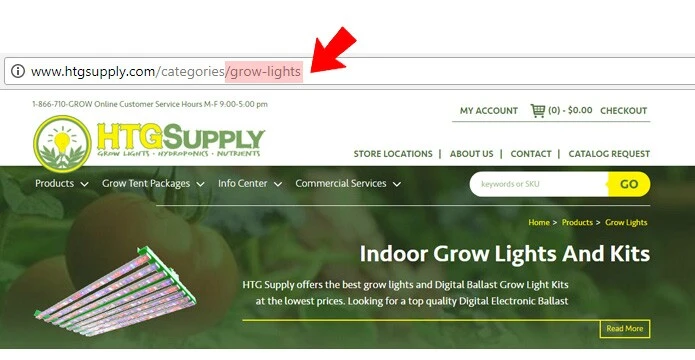
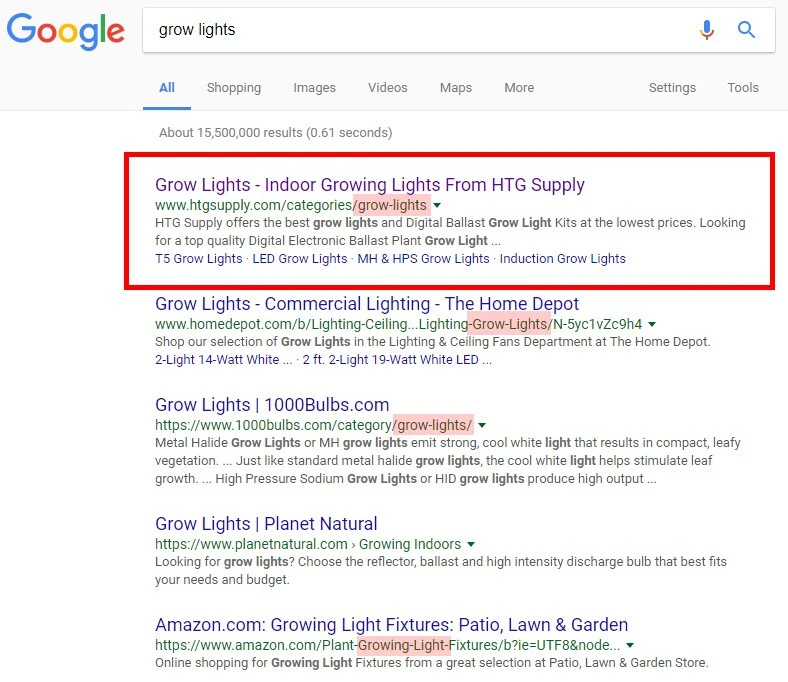
For example, a category page selling grow lights should not live at a vague URL such as /category/lights, a random file such as lights35646.html, or a query-string URL such as /category/cat?=21. A path like /category/grow-lights is clearer for users, easier to manage, and better aligned with the page’s search intent.
Google’s own SEO Starter Guide still recommends descriptive URLs because parts of the URL can appear as breadcrumbs and help users understand whether a result is useful. That does not mean keywords in a URL are magic. It means a URL should be stable, readable, and tied to the real page topic.
Here is the planning process we use:
- Export or list your important URLs.
- Assign one primary keyword theme to each URL.
- Add 3 to 5 close variants or supporting phrases.
- Mark pages that compete for the same phrase.
- Choose one canonical page for each important topic.
- Redirect or consolidate pages that duplicate the same intent.
- Update internal links so they point to the preferred page.
This map can be a spreadsheet. It does not need to be fancy, but it does need to be maintained. For ecommerce sites, this is especially important because category, subcategory, product, and article pages often start targeting the same phrase without anyone noticing.
If you need help choosing terms, start with search volume, ranking difficulty, current ranking URLs, and sales value. Our guide to ecommerce SEO keyword research shows how to map those terms to the right page types.
Build Content That Supports The Page Instead Of Random Blog Volume
The old line that “content is king” is only useful if the content has a job. Publishing more pages does not help if those pages do not answer real questions, support key landing pages, or add authority around a topic.
Google’s SEO Starter Guide describes useful content as easy to read, well organized, unique, up to date, and helpful for people first. That is the standard your on-site content should meet before you worry about small tag edits.
For a landing page, content should do three things:
- Explain the topic in enough detail that a buyer or researcher can make sense of it.
- Support the primary keyword theme without repeating the same phrase unnaturally.
- Create natural internal-link paths to related guides, service pages, categories, products, or case studies.
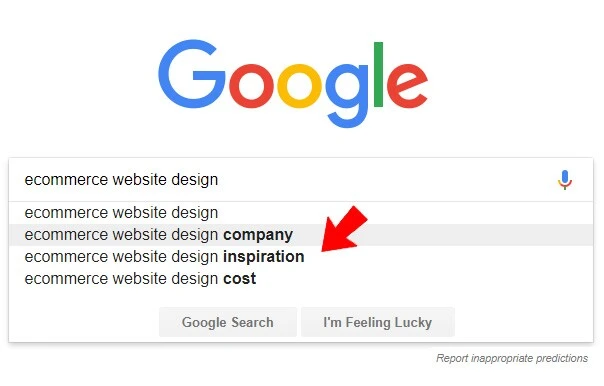
For ecommerce sites, this usually means unique category descriptions, helpful buying guidance, product details that go beyond manufacturer feeds, FAQs, and comparison content. For service businesses, it means explaining process, deliverables, timelines, fit, risks, and proof.
Supporting articles still matter. If a main SEO service page targets a commercial phrase, related articles can answer narrower questions and link back to the main page. A good article should not exist just to pass anchor text. It should answer a real searcher need and then point readers to the page that helps with the next step.
If the page itself is thin, fix that first. SEO copywriting should make a page more useful and easier to evaluate instead of simply longer.
Use Internal Links Like an On Site SEO Architecture Tool
Internal linking is one of the easiest on-site SEO wins to ignore because it is spread across the whole site. Google finds pages through links, and its SEO Starter Guide notes that link text helps users and search engines understand what the linked page contains.
Think beyond paragraph links in blog posts. Google sees links in navigation, footers, category grids, related products, breadcrumbs, article modules, card sections, and homepage features. Every one of those links contributes to the way your site explains page relationships.
The basics are simple:
- Link from topically related pages instead of relying only on high-traffic pages.
- Use anchor text that describes the target page.
- Avoid linking every mention of a keyword.
- Point internal links to the canonical version of the URL.
- Remove links to redirected, broken, or duplicate URLs.
For ecommerce, related products can create thousands of useful internal links when they are chosen well. If 1,000 product pages each show five truly related products, that is 5,000 product-to-product links. The value depends on relevance. Random recommendations add noise, while useful related products help both shoppers and crawlers find deeper inventory.
For articles, internal links should help the reader keep going. If someone is using this checklist and realizes they need a deeper review, a link to an SEO audit page makes sense. If they are reading about speed, crawlability, canonicals, and structured data, a link to technical SEO is a natural next step.

Write Title Tags For Rankings And Clicks
The title tag is still one of the highest-impact page elements, but the old habit of stacking keywords into it is a bad trade. Google’s title link documentation says titles should be unique, clear, concise, and accurate. It also warns against repeated keyword strings and boilerplate titles that make pages hard to distinguish.
A strong title tag usually includes:
- The primary topic near the front.
- A useful modifier that clarifies intent.
- A concise brand mention when appropriate.
- No repeated phrase stuffing.
For example, a page about on-site SEO might use On Site SEO Cheat Sheet | Optimization Checklist - OuterBox. It tells the searcher what the page is, gives Google a clear title source, and avoids a spammy string like On Site SEO, Onsite SEO, On-Page SEO Checklist.

Do not treat the title tag as separate from the page. The H1, intro, headings, and body copy should support the same intent. If the title promises a checklist and the page is mostly a sales pitch, Google may rewrite the title link or users may bounce because the result did not match their expectation.
Also avoid using the same core title across many URLs. Large sites often create accidental title duplication on category filters, location pages, product variants, or templated service pages. A title-tag audit should look for missing titles, duplicates, overlong titles, repeated boilerplate, and titles that no longer match the page.
Use Header Tags To Structure Your In Site SEO Content
Header tags help organize a page for readers. They also give search engines a clearer view of what each section covers.
Most pages should have one clear H1. That H1 should describe the page’s main topic in plain language. It can include the primary keyword or a close variant, but it should not read like a keyword list.
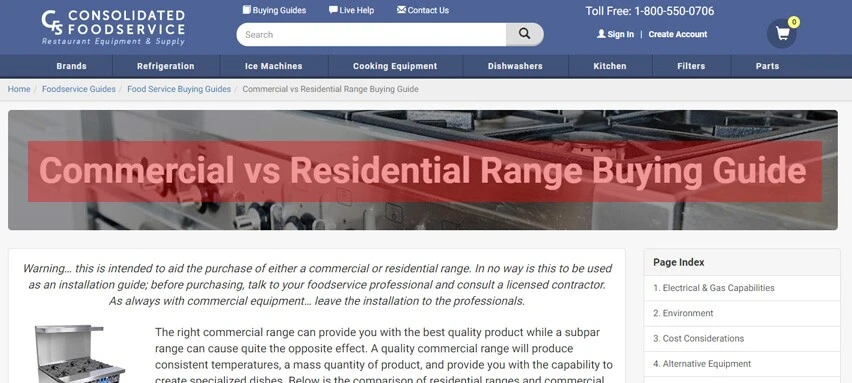
Use H2s for the main sections of the page and H3s for supporting points inside those sections. On a product category page, that might mean H2s for buying guidance, product types, FAQs, and related resources. On an article, it means each H2 should help the reader scan the guide and jump to the next useful step.
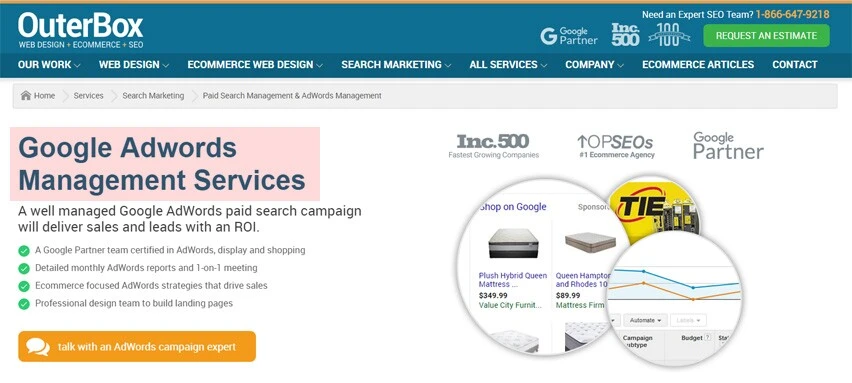
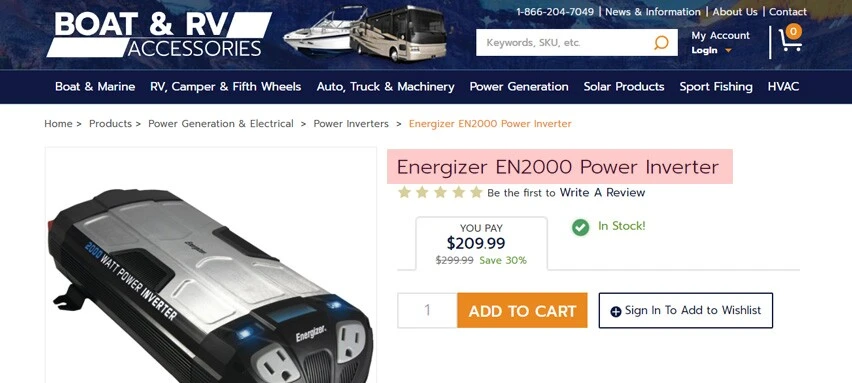
Do not use heading tags for decorative text such as newsletter prompts, button labels, footer snippets, or logo text. Developers sometimes apply H tags because they like the styling. That creates confusing document structure and makes the page harder to audit.
The practical test is simple: if a reader scanned only the headings, would they understand what the page covers and why each section exists? If not, the headings need work.
Optimize Alt Text And Image Filenames Together
The original guide separated alt tags and image filenames. Keep both in your checklist because they solve different problems.
Alt text describes the image for people who cannot see it and helps search engines understand how the image relates to the page. Google’s image SEO documentation recommends useful, information-rich alt text that fits the page context and avoids keyword stuffing.
Good alt text is specific:
- Weak:
SEO image. - Better:
Screenshot of title tag settings in WordPress. - Best:
WordPress title tag field for an on-site SEO checklist article.

Filename optimization is simpler. Use short, descriptive filenames before upload when you can. title-tag-on-site-seo.webp is better than IMG00023.jpg. For product images, part numbers, SKU names, model names, colors, and product types can all help when they are accurate.
Google also notes that images should be embedded with standard HTML image elements, placed near relevant text, and supported by strong landing-page context. That matters because image SEO is not just an alt field. The image, caption, surrounding copy, page title, structured data, and page quality all work together.
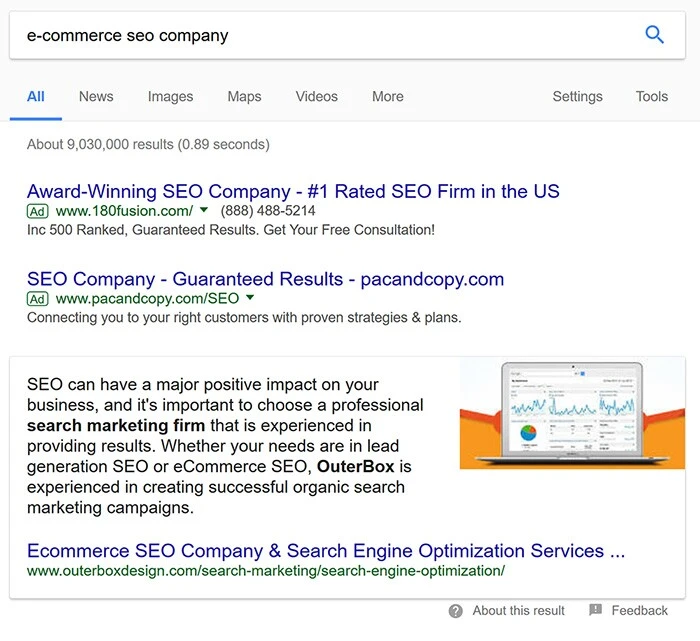
Do not write alt text for search engines at the expense of accessibility. If the image is decorative, it may need empty alt text. If it is meaningful, describe what the image communicates in the context of the page.
Check The Technical SEO Basics Before You Call The Page Done
On-site SEO also includes the technical signals that let Google crawl, index, render, and display the page correctly. You do not need to be a developer to catch many of the common issues.
Check these items on every important page:
- The page returns a 200 status code.
- It is indexable and not blocked by robots directives.
- The canonical tag points to the preferred URL.
- Internal links point to the canonical URL instead of tracking URLs or duplicates.
- The page is included in the XML sitemap if it should be indexed.
- The main content appears in the rendered HTML.
- Structured data is valid and matches the visible content.
- The mobile layout keeps the same important content as desktop.
- Core Web Vitals are within a reasonable range for real users.
Google’s canonical documentation says redirects and rel="canonical" annotations are strong signals, while sitemap inclusion is a weaker signal. It also recommends linking internally to the canonical URL. That is a common cleanup issue on older sites, especially after migrations, faceted navigation changes, or CMS rebuilds.
For performance, web.dev lists the current Core Web Vitals as Largest Contentful Paint, Interaction to Next Paint, and Cumulative Layout Shift. Good thresholds are LCP within 2.5 seconds, INP of 200 milliseconds or less, and CLS of 0.1 or less at the 75th percentile. Those metrics are not the whole SEO story, but they help identify pages that frustrate users.
Schema should be treated the same way: useful when it accurately describes visible content, risky when it is generic or mismatched. Article schema, breadcrumb schema, product schema, FAQ schema, and organization data can all help search engines understand context, but only when they reflect what is actually on the page.
Keep Your Onsite SEO Cheat Sheet Current After Publishing
On-site optimization is not a one-time pass. Pages change, competitors update content, Google rewrites title links, products go out of stock, redirects get added, and internal links break.
After publishing or refreshing a page, check back in stages:
- After indexing: confirm Google selected the expected canonical URL.
- After a few weeks: review impressions, queries, CTR, and average position in Search Console.
- After meaningful rank movement: compare the winning queries against the page copy.
- Quarterly: look for outdated examples, stale screenshots, broken links, and missing internal links.
- After site changes: rerun checks on canonicals, templates, schema, navigation links, and mobile rendering.
This is where a page-level keyword map pays off. If rankings move to the wrong URL, the map tells you whether to consolidate, re-link, rewrite, or leave the page alone.
When To Get Help With On Site SEO
If your site has a few important pages, this checklist may be enough to clean up the basics. If you have hundreds or thousands of URLs, the harder work is prioritization: which pages to fix first, which pages to consolidate, which templates create repeated problems, and which internal links need to change.
That is where an SEO audit can help. If the problems are mostly crawl, indexation, speed, schema, or canonical issues, start with technical SEO. If the main question is budget and scope, our SEO pricing guide explains what affects the cost of doing the work well.
FAQs About On-Site SEO
What is on-site SEO?
On-site SEO is the work done on your own website to help search engines and users understand your pages. It includes URL planning, content, title tags, headings, internal links, image optimization, structured data, indexability, and page experience.
Is on-site SEO the same as on-page SEO?
People often use the terms interchangeably. In practice, on-page SEO usually refers to page-level content and HTML elements, while on-site SEO can also include sitewide structure, internal linking, crawlability, templates, and technical checks.
How many keywords should one page target?
Most important pages should have one primary keyword theme and several close variants. If two phrases have different search intent, they may need separate pages. If they describe the same need in different wording, one page can usually cover both.
Do keywords in URLs still matter?
Readable URLs still matter for users, breadcrumbs, reporting, and site management. They are not a magic ranking shortcut. Use descriptive paths because they make the page easier to understand and maintain instead of expecting a keyword in the URL to carry weak content.
How often should title tags be updated?
Update title tags when the page intent changes, rankings show Google is testing different title links, CTR is weak for strong rankings, or the current title is duplicated, vague, or outdated. Do not keep changing titles weekly without enough data.
How many internal links does a page need, and what mistake should teams avoid?
There is no fixed number. A page needs enough relevant internal links that users and crawlers can find it and understand how it fits into the site. Quality matters more than count. Links from closely related pages usually matter more than random sitewide links.
The bigger planning mistake is optimizing elements without a page plan. If you have not decided which URL owns the topic, which terms it targets, and which supporting pages link to it, title tags and headings become cosmetic changes.