By: Adam Littell
Most eCommerce keyword research starts too late. The store already has categories, product templates, filters, navigation, blog topics, and maybe a development roadmap. Then someone opens a keyword tool and tries to fit search demand into decisions the site has already made.
That is backwards. eCommerce keyword research should shape the bones of the site before page titles, product copy, and content calendars get written. The right keyword map tells each important page what job it has, what buyer intent it should satisfy, and what future products, collections, filters, or content pages may need to exist.
Going in blind is like leaving the dock for an ocean voyage and planning to check the chart later. You might still move, but you are asking luck to do the work a map should have done.
Key Questions An eCommerce Keyword Map Must Answer:
- Which broad terms should a category page own?
- Which qualified terms deserve a subcategory, collection, or indexable filter page?
- Which exact product, model, part number, color, or size terms belong to product pages or variant URLs?
- Which questions need content that supports product discovery?
- Which low-value filters should stay crawlable for users but not indexable for Google?
What eCommerce Keyword Research Actually Means
eCommerce keywords are search queries shoppers use when they are looking for product types, brands, models, SKUs, sizes, problems, comparisons, or buying advice. Some queries belong to category pages. Some belong to product pages. Some need buying guides, comparison content, or support articles. Some should not get an indexable page at all.
That last point matters. Keyword research for eCommerce is not just a list of phrases with search volume. It is a set of structural decisions, like the ones in the callout above.
Google’s eCommerce SEO documentation frames this clearly: Google needs to understand your eCommerce data and site structure so it can find and parse your content. Keywords help define that structure, but only when they are mapped to the right page types. For the broader operating model around catalog SEO, our guide to eCommerce SEO strategies shows how keyword mapping connects to technical SEO, content, links, product data, CRO, and reporting.
Start With Revenue Pages, Then Expand the eCommerce Keyword Map
Before you chase new keyword ideas, look at the pages that already matter to the business. Your category pages, top products, highest-margin collections, seasonal lines, and strongest conversion paths should shape the research brief.
Pull data from:
- Google Search Console queries for current impressions, rankings, and near-miss terms.
- GA4 or ecommerce analytics for revenue, conversion rate, and assisted revenue by landing page.
- Paid search terms that already prove commercial demand.
- Product feed and Merchant Center data for product names, brands, variants, price, and availability.
- Existing category and product architecture.
- Internal site search, especially for refinement after the core research is done.
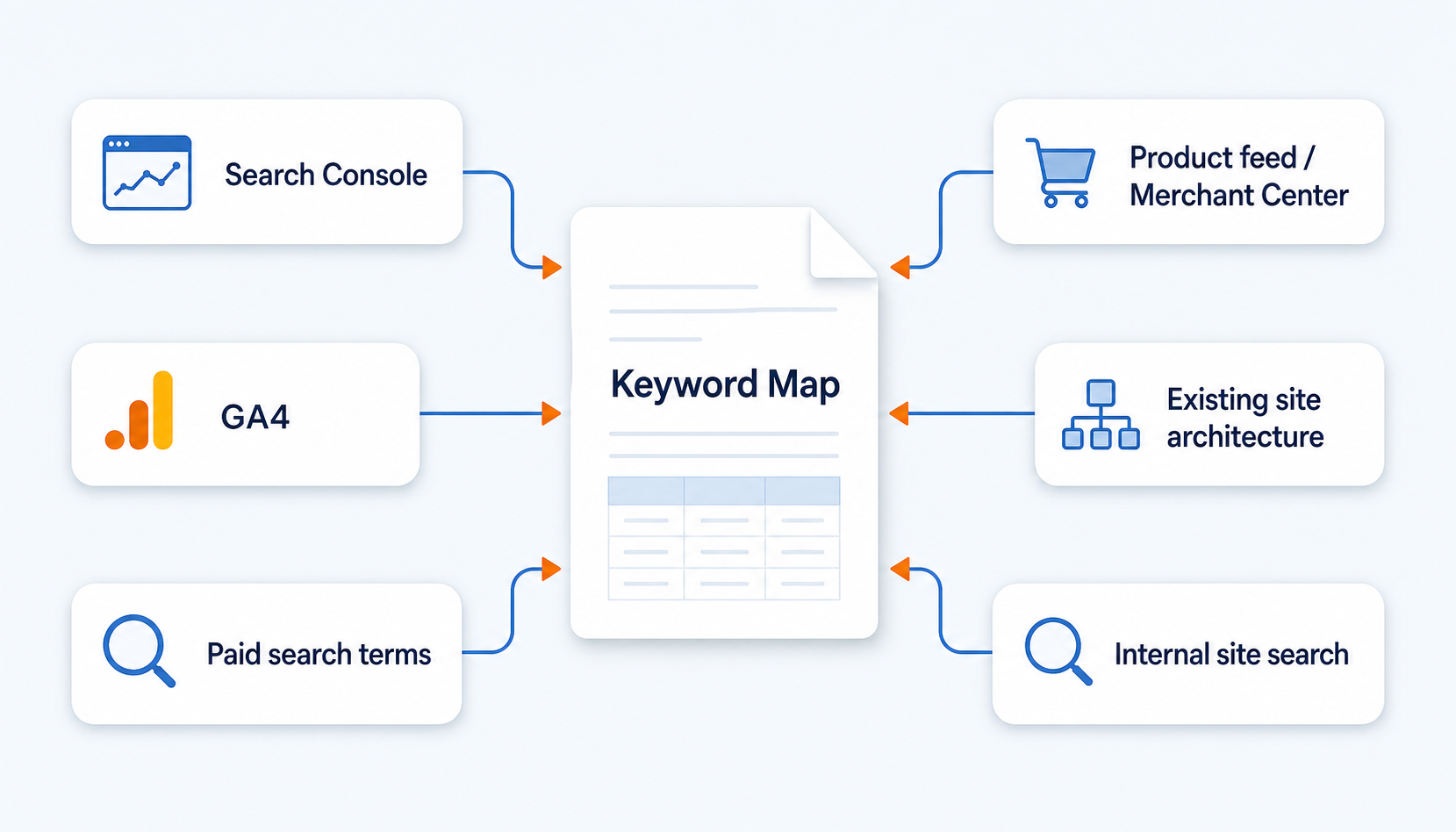
Internal site search is useful because it shows how people ask once they are already inside the store. It can reveal missing filters, unclear navigation labels, common replacement-part searches, and product language your merchandising team may not use. But it should refine the map, not replace the core research needed to build one.
The goal is not to find every possible eCommerce keyword. The goal is to find the terms that should influence the pages shoppers and search engines rely on most.
Group Keywords By Shopper Job
A keyword should tell you what the shopper is trying to do. A broad query like running shoes usually signals browsing, filtering, and comparison. A query like Nike Air Max 90 black size 11 is much closer to a product or variant decision. A query like best running shoes for flat feet needs guidance before it needs a product grid.
Group keywords by shopper job before you assign them to pages:
| Query Type | Example | Best Page Owner | What The Page Must Prove |
|---|---|---|---|
| Broad category | running shoes | Category or department page | Product depth, filters, trust, and clear options |
| Qualified category | waterproof trail running shoes | Subcategory or collection | Relevant inventory and buying criteria |
| Brand plus category | Nike running shoes | Brand-category page | Brand selection, models, fit, and availability |
| Exact product or model | Nike Air Max 90 black size 11 | Product page or variant URL | Product data, variant availability, reviews, and shipping |
| SKU or part number | ABC123 replacement filter | Product page | Exact match, compatibility, and stock |
| Comparison | best running shoes for flat feet | Buying guide with product links | Decision criteria and product routing |
| Problem or use case | shoes for plantar fasciitis | Guide or focused collection | Expert guidance, caveats, and relevant products |
| Seasonal demand | Black Friday patio furniture deals | Seasonal collection or updated evergreen URL | Current offers, timing, inventory, and trust |
This matrix is where the keyword map becomes useful. It turns search demand into page ownership.
Find the Best Keywords for eCommerce Category Pages
One of the most common eCommerce SEO mistakes is trying to make a single product page rank for broad category demand. Sometimes a product page really is the best match, especially for a famous model, SKU, or product-specific search. But many broad terms belong on category pages because the shopper wants options.
A weak category page is often just a list of products with filters and no real explanation. That page may have inventory, but it does not help Google understand what the category represents, how shoppers should choose, or why the page deserves to rank over a thousand other product lists.
Stronger category pages usually include:
- A clear H1 and title tag tied to the category’s main demand.
- Short intro copy that explains the product class without pushing the grid too far down.
- Useful subcategory links and filters.
- Copy that explains materials, sizes, uses, compatibility, or buying criteria.
- An overview near the bottom of the page that helps shoppers choose.
- Internal links from guides, blog content, navigation, and related categories.
- Product imagery, comparison aids, and sometimes video when it helps the buyer decide.
OuterBox has seen this pattern repeatedly. When a category page moves from a plain product list to a useful, keyword-aligned buying surface, Google can understand the page better and match it to broader buyer searches. Shoppers get a page that helps them choose, not just a shelf of items.
That is the point of eCommerce SEO keyword research: broad demand should not be forced onto whatever page the store owner likes best. It should be assigned to the page that actually satisfies the search.
Product Keywords Need Product Data, Not Just Product Copy
Product keywords are different. They often include brand names, model numbers, SKU numbers, sizes, colors, materials, fitment, dimensions, or compatibility terms. These are bottom-funnel searches, but they only work when the product page proves an exact match.
Product pages should support keyword demand with:
- Product names that include the right brand, model, product type, and critical attributes.
- Unique descriptions that explain use, fit, materials, and differentiators.
- Specs, dimensions, part numbers, GTINs, MPNs, and compatibility data where relevant.
- Variant availability for size, color, quantity, bundle, or configuration.
- Reviews and Q&A that answer buying objections.
- Related products, accessories, replacement parts, and bundles.
- Product structured data that matches visible content.
Google’s Product structured data documentation explains how product pages can provide richer product information to search. Merchant Center also notes that structured data should match the corresponding values and attributes. That means keyword work has to connect with product operations. If your title tag says one thing, your feed says another, and your product page hides the detail shoppers searched for, the SEO issue is structural.
Filters, Variants, And Facets Need Rules
Out-of-the-box eCommerce platforms often create many URLs from product options, filters, sorting, colors, sizes, or tracking parameters. Some of those pages may deserve search visibility. Many do not.
This is where eCommerce keyword research meets technical SEO. A filter combination like black leather sectional sofas may have real search demand and enough inventory to support an indexable collection page. A sort parameter, session ID, or thin color variant may only create duplicate URLs.
Google’s eCommerce URL structure guidance warns against internally linking to temporary parameters such as session IDs or tracking codes. It also says product variants should be identifiable by separate URLs when variant discovery matters. The practical decision is not “index every filter” or “block every filter.” The decision is which pages deserve to be discovered, crawled, indexed, linked, and maintained.
Build rules for:
- Which facets can create indexable landing pages.
- Which filters should stay user-facing but noindex or canonical elsewhere.
- Which product variants need unique URLs.
- Which duplicate variants should consolidate.
- Which seasonal collections get refreshed on an evergreen URL.
- Which low-value URL parameters should not receive internal links.
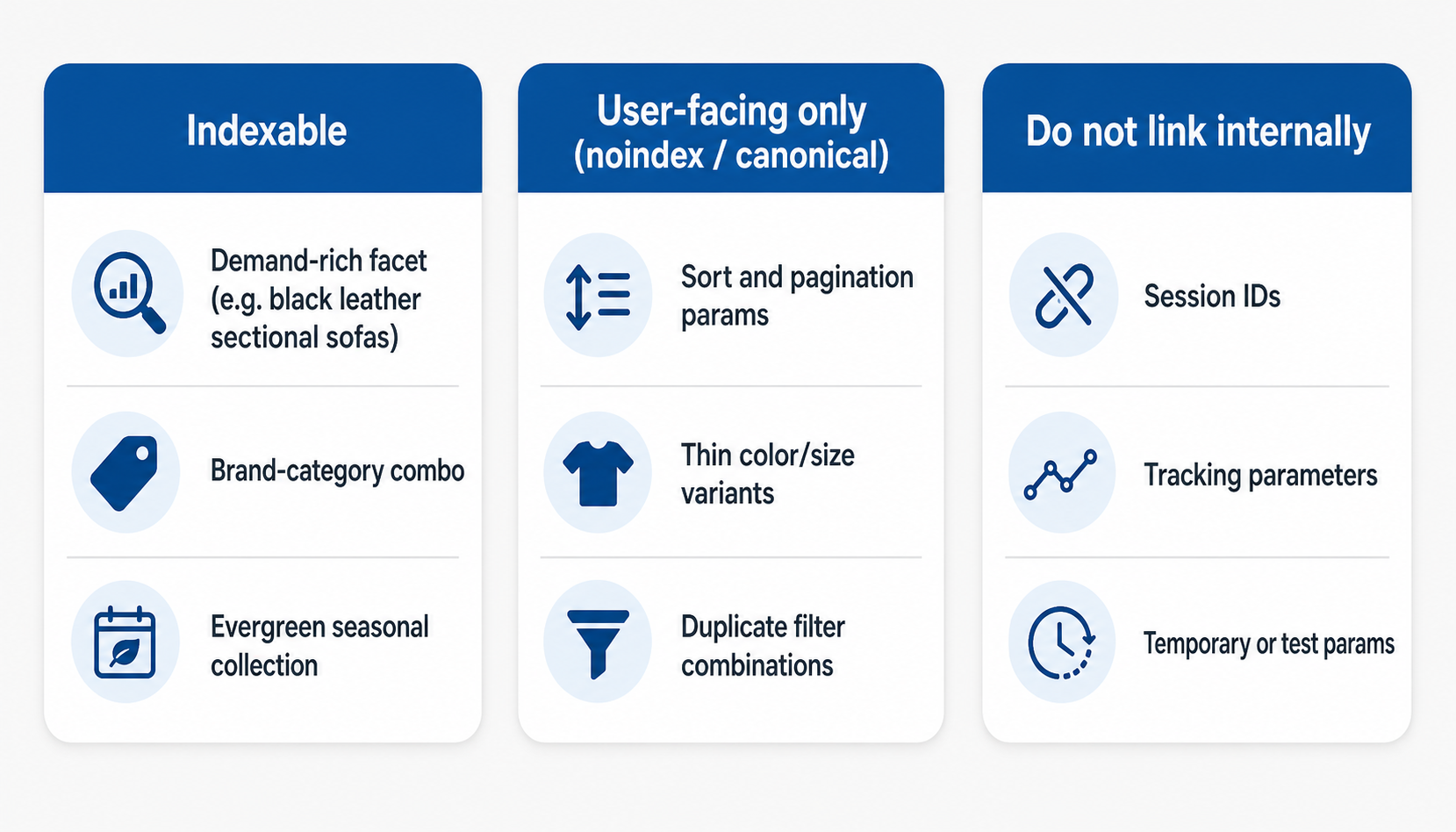
The simplest working standard is this: Google should index only the pages you actually want buyers to find from search.
Content Should Support The Catalog
Not every keyword belongs to a commercial page. Some searches need education before the buyer is ready to compare products. Buying guides, comparison pages, care guides, size guides, compatibility resources, and seasonal planning content can all support category and product pages.
Good content marketing for eCommerce starts with the catalog. A guide to choosing outdoor fire pits should route shoppers toward the right fire pit collections. A Shopify migration article should help a store understand technical risk, then point toward the services that solve it. A fitment guide should connect to parts and categories that match the buyer’s problem.
This is also where internal links matter. Your content should not sit apart from the store. It should move authority and shoppers toward revenue pages through descriptive, useful links. A deeper guide to eCommerce internal linking can support that work, but the keyword map should already tell writers which commercial pages each content asset needs to help.
Prioritize Keywords By Revenue, Feasibility, And Work Required
Search volume is useful, but it is not the whole decision. A keyword with modest volume can be valuable if it maps to a high-margin product line, strong inventory, or a category where the store can win. A high-volume term can waste months if the page type is wrong or the current site cannot support the intent.
Score eCommerce keywords against:
- Revenue potential: margin, average order value, conversion rate, and strategic value.
- Intent fit: does the query match a product page, category page, content page, or comparison page?
- Current position: is the page already close enough that better targeting could move it?
- Page strength: does the target page have the content, products, links, and data to compete?
- Technical cost: does the opportunity require templates, filters, canonical rules, or development work?
- Seasonality: does the keyword need to be ready before demand peaks?
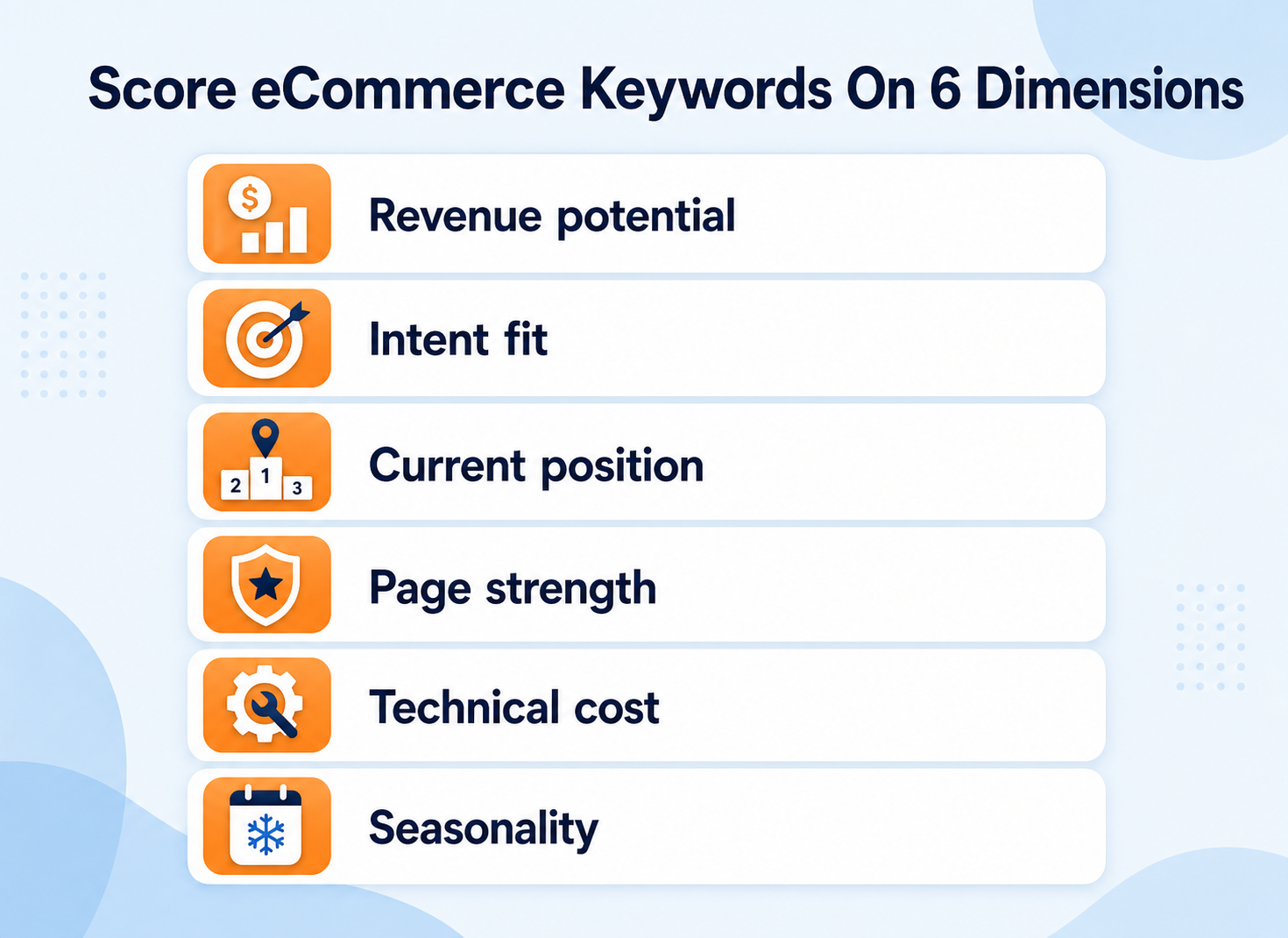
This keeps the map honest. It also helps development, merchandising, content, and SEO teams work from the same plan.
Measure And Refresh The Keyword Map
The first version of an eCommerce keyword map is not the last version. Products change. Inventory changes. Search behavior changes. Seasonality shifts. New competitors enter. Google rewrites how it presents results.
Track the map with:
- Google Search Console impressions, clicks, and average positions by URL.
- Revenue and conversion data by organic landing page.
- Rankings for priority category, product, and content terms.
- Crawl and indexation checks for important category, facet, and variant pages.
- Product feed and structured data consistency.
- Internal search patterns that reveal missing language or navigation gaps.
- Content performance and assisted revenue to commercial pages.
OuterBox has seen keyword mapping work best when it becomes part of the operating rhythm. In the Bambi Baby case-study database, the program paired product-page optimization, category-page optimization, technical updates, and new content, producing a 102% quarter-over-quarter organic revenue lift and 1,200+ new page-one keywords. The lesson is not that keyword research alone created the result. The lesson is that keyword research becomes powerful when it guides the pages, templates, content, and technical work around the catalog.
The same pattern shows up in Shopify cleanup work. When product collections, canonical tags, templates, schema, and internal links are aligned to search intent, the store gives Google and shoppers a clearer path.
Where OuterBox Starts
An eCommerce keyword map should answer a practical question: what should this store build, improve, consolidate, or leave alone so buyers can find the right products?
That is why our eCommerce SEO services start with diagnosis before execution. Keyword research connects to technical SEO, category optimization, product data, content, internal links, SEO reporting, and CRO. One team needs to understand how those decisions fit together.
The right map sets the stage for future success. It tells every important page what keyword job it has, shows where future content or collections may be needed, and keeps development from building a store search engines have to untangle later.