By: Jeff Hirz
Are you looking to optimize a current page on your website? Using Google Search Console is one of the most effective ways to do keyword research, find out what your website already ranks for, and boost traffic.
In 2018, Google redesigned Search Console, along with the new look came new features as well, and the ability to go back further and see even more data. Google launched a new update to GSC in 2021, bringing a new look to the interface and the inclusion of Core Web Vitals data.
The steps below walk through a quick way to pull up a page, determine how the page is performing, and make some minor tweaks to quickly boost website traffic. Using this strategy on the most popular pages on your website can make a quick impact!
Step 1: Bring Up Your Page of Interest in Google Search Console
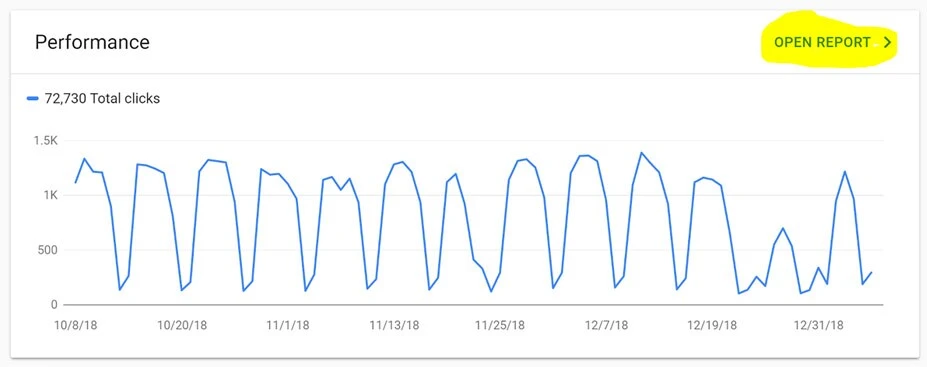
When you load up Search Console, click the “Open Report” link at the top right. This will take you to a new page that shows your website traffic, impressions, and more. From there, you’ll be able to navigate to specific pages.
Step 2: Select the Page You Want to Optimize
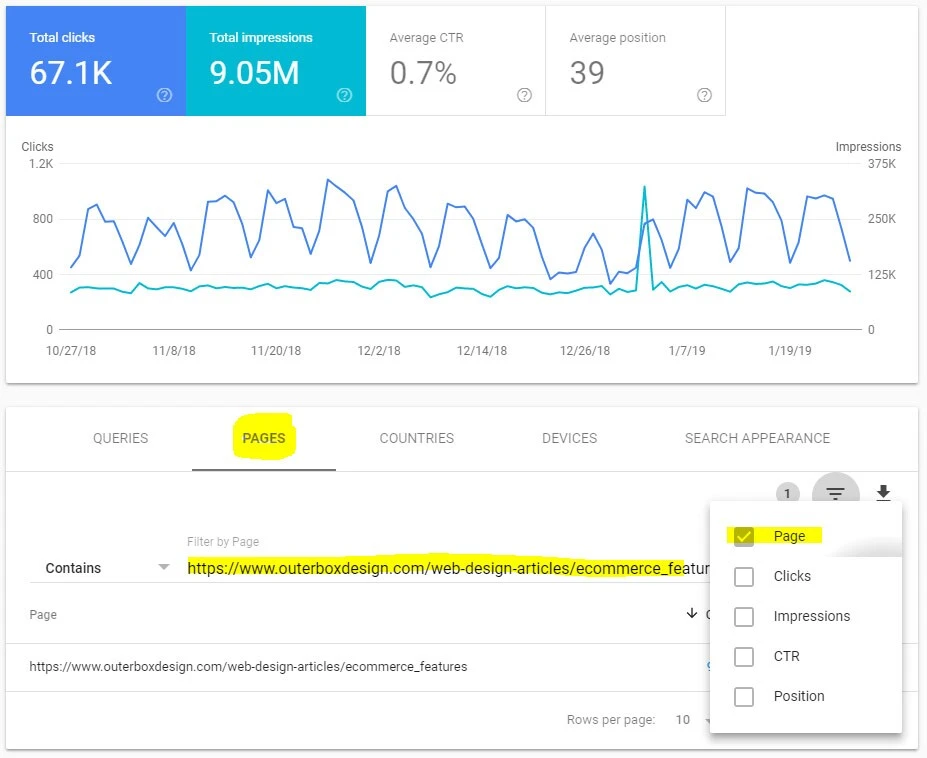
First, click the “Pages” link next to “Queries”. You can then click the filter icon on the right, and a drop-down will appear. When it appears, select “Page” and then enter your page URL in the text box. You can use the “Contains” drop-down to filter even further or bring up sets of pages (like all pages within a directory), but for this example, we’re focused on optimizing a single page. Once you’ve pulled up your page, click on the URL, and the report will refresh to show statistics specifically for that page.
Step 3: Look at the Queries
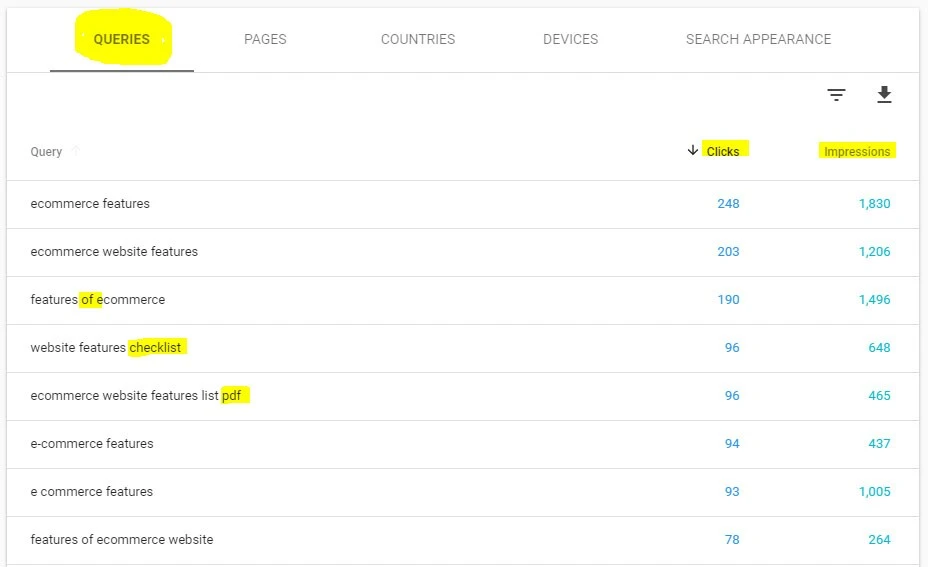
Click on the “Queries” tab and you’ll get a screen that shows the keywords your page currently ranks for. By default, Search Console will show phrases that have received the most clicks first, but you can also sort by impressions. Now, the easiest way to find optimization opportunities is to look at what keywords and phrases you’re currently getting traffic (click) from. Compare those words to words within the following elements of your page:
- Title tag
- H1 (learn about the importance of an H1 tag for SEO)
- H2
- Body content
- Alt tags
If certain words, such as those I’ve highlighted a few examples below, are not included within these elements of your website, it’s a very easy optimization process. Take those missing words and find a way to incorporate them. Your rankings for those phrases will inevitably rise and lead to an increase in traffic.
If you sort by impressions, be sure to NOT optimize for phrases that another page on your website may already rank for. In the example above, the page is our “eCommerce Features” page and one of the highest impression phrases (because it’s searched a lot) is “eCommerce Web Design”. Because we already have a page focused on “eCommerce Web Design,” we should not want to optimize this page for the keyphrase as well. The safest way to use this technique is to optimize around keywords getting “clicks” and not around “impressions”.
Need an Expert SEO Team?
If you’re looking to partner with an SEO company on your marketing efforts, then look no further than OuterBox. Our staff includes an entire department of SEO experts dedicated to delivering results. Utilize our combined decades of SEO experience by contacting us today: 1-866-647-9218.