By: Jeff Hirz
Shopify SEO issues rarely come from one missing setting. They usually come from small platform decisions that add up: filters that create too many URLs, product variants that split signals, collection pages with no useful copy, apps that slow templates down, or robots and canonical rules that do different jobs than the team expects.
We see this often in Shopify SEO work. The store is easy to merchandise, easy to update, and easy to extend with apps. But organic search needs a cleaner operating model than “the page works for shoppers.” Google also needs crawlable paths, consistent canonical signals, useful collection pages, strong metadata, accessible product content, and a site structure that does not multiply every product into low-value variations.
This guide keeps the Shopify SEO problems store teams still run into, but updates the fixes for current Shopify and Google guidance. If your store needs deeper implementation support, OuterBox provides Shopify SEO services for collections, product pages, technical SEO, content, analytics, and platform cleanup.
Shopify SEO Issues To Check First
Start with the problems most likely to affect crawling, indexation, rankings, and revenue:
- Collection, tag, and filter URLs creating thin or duplicate pages.
- Duplicate product, collection, or variant URLs splitting ranking signals.
- Duplicate titles and weak meta descriptions coming from theme templates.
- Robots.txt, noindex rules, and canonical tags being used for the wrong job.
- Fixed Shopify URL folders limiting how cleanly teams can shape URLs.
- Thin collection and product content on pages that should carry organic revenue.
- Apps, theme code, JavaScript, media, or tracking tags slowing important templates.
- Redirect chains, deleted products, and migration changes reopening old SEO problems.
In audits, the highest-risk issue is usually the one that repeats across templates or URL patterns. A duplicate title on one low-value product is different from a faceted navigation pattern that creates thousands of crawlable URLs. Prioritize the problems that affect your highest-value collection, product, and content pages first.
Collection, Tag, And Filter Pages Can Create Thin URLs
The original article used a simple shirt example, and it still works. A store may have a main collection page:
/collections/women-shirts
Then shoppers filter or browse into variations such as:
/collections/women-shirts/long-sleeve
/collections/women-shirts/short-sleeve
/collections/women-shirts/sleeveless
The SEO question is not whether those paths can exist. The question is whether each page deserves to be crawled, indexed, internally linked, and treated like a search landing page.
Shopify now recommends Storefront filtering for collection and search result pages. Storefront filters can use product tags, product type, vendor, price, availability, variant options, metafields, and other product data. Those filters are reflected in collection or search URLs through parameters. Shopify also still documents tag filtering, where a tag handle is appended to the collection URL, but Shopify tells developers to consider Storefront filtering instead because it uses existing product data and can apply to search results too.
That matters because filters can help shoppers while creating SEO problems. If every color, size, material, price, vendor, and availability combination becomes crawlable, Google may spend time on low-value URLs instead of the collection pages that should rank.
Use a simple classification:
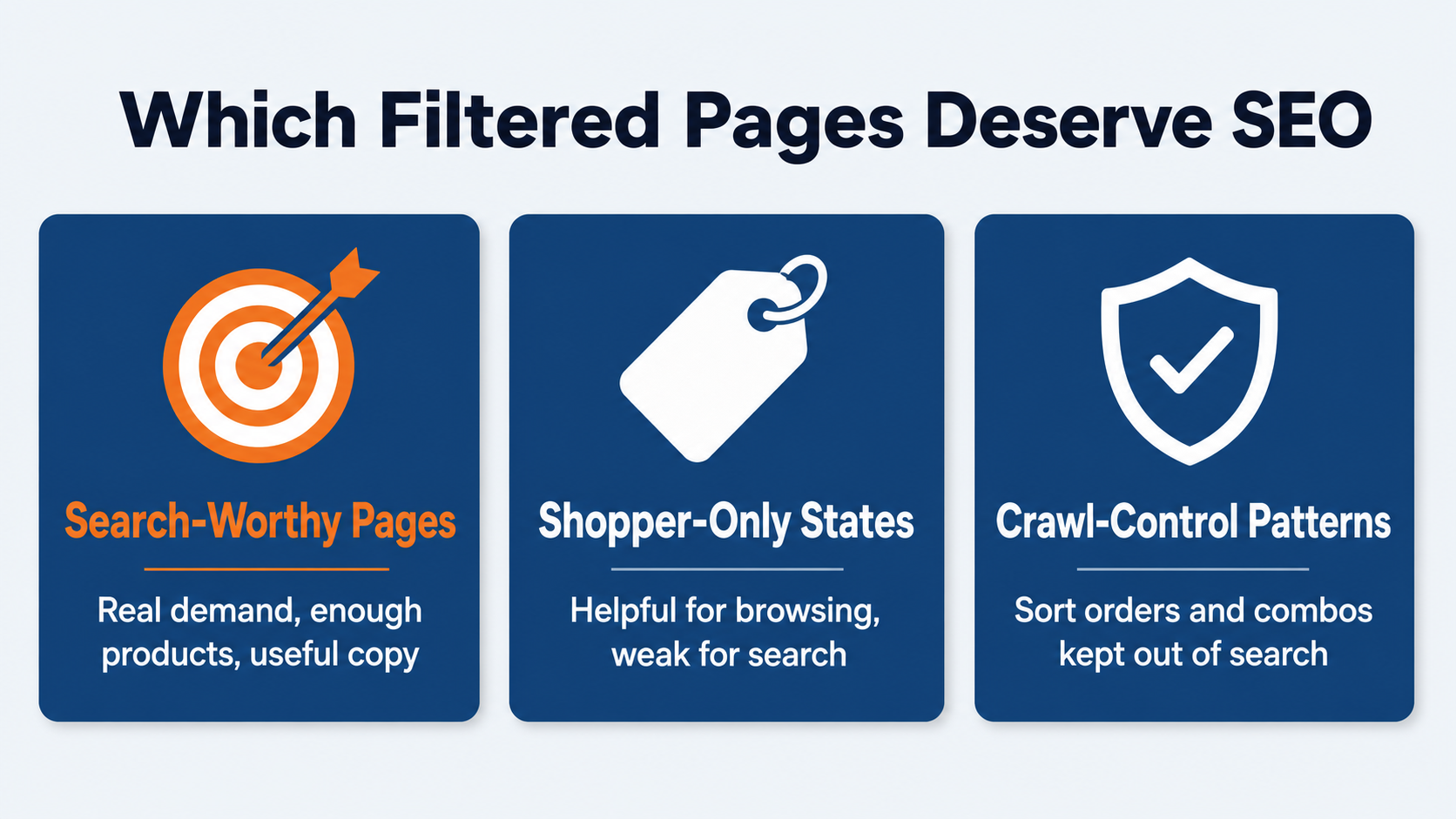
- Search-worthy collection pages: pages with demand, enough products, useful copy, and a reason to rank.
- Shopper-only filtered states: useful for browsing, but not strong enough for search.
- Crawl-control patterns: sort orders, multi-filter combinations, empty results, or parameters that should not be encouraged through links and sitemaps.
For eCommerce SEO, the fix is usually not “index every filter” or “block every filter.” The fix is deciding which collection and subcollection pages deserve SEO treatment, then making your internal links, canonicals, content, and sitemap agree.
Duplicate Content Can Split Signals Across Products And Collections
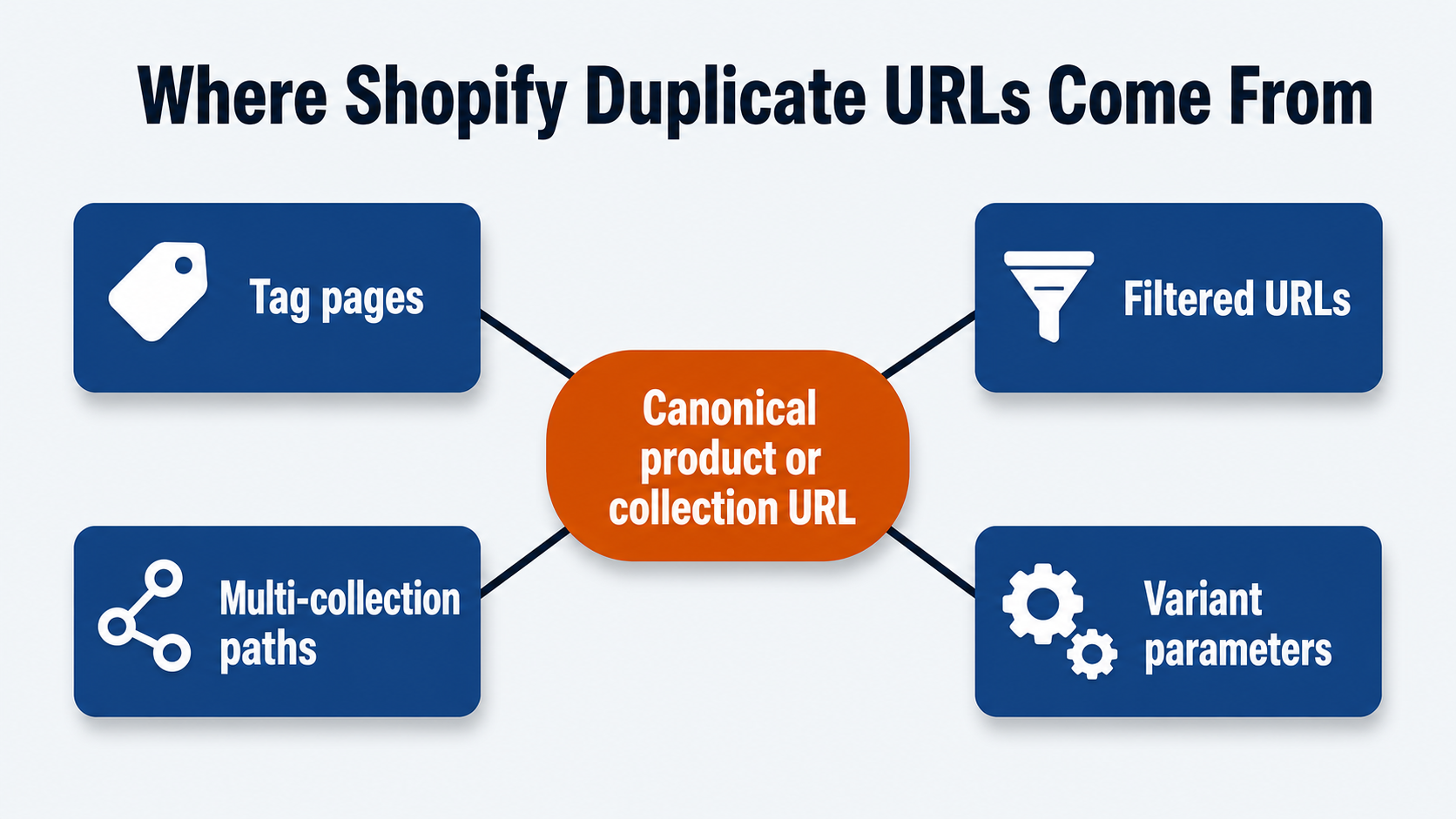
Duplicate content is still one of the most common Shopify SEO problems. It can happen when tag pages show the same product set as the main collection, when filtered URLs reuse the same copy, when products appear through multiple collection paths, or when variants create similar pages for color, size, material, pack count, or style.
Google’s canonical guidance is clear on one point: robots.txt is not a canonicalization tool. If you want Google to understand the preferred version of a duplicate page, canonical tags, redirects, consistent internal links, and sitemap choices matter more than simply blocking crawling.
For Shopify stores, check these areas:
- Collection URLs and filtered URLs that show the same products and copy.
- Product URLs accessible through multiple collection paths.
- Variant URLs using query parameters without a clear canonical strategy.
- Sitemap URLs that differ from the URLs used in navigation.
- Internal links pointing to filtered or redirected paths.
- Product pages with repeated descriptions across many variants.
Google’s ecommerce URL guidance says optional query parameters for product variants often should canonicalize to the base product URL. If variants have unique URLs, Google recommends including the canonical product URL on those variant pages. Google also recommends using the same URL in internal links, sitemaps, and canonical tags.
This is where Shopify cleanup has to be checked in the rendered storefront, not just in the admin. Technical SEO should verify the actual rendered canonical tag, the XML sitemap, internal links, redirects, and the product/collection templates together. If those signals disagree, Google has to choose the canonical version for you.
Shopify SEO Case Study: 478% Traffic Growth and 4,000 Page-One Keywords
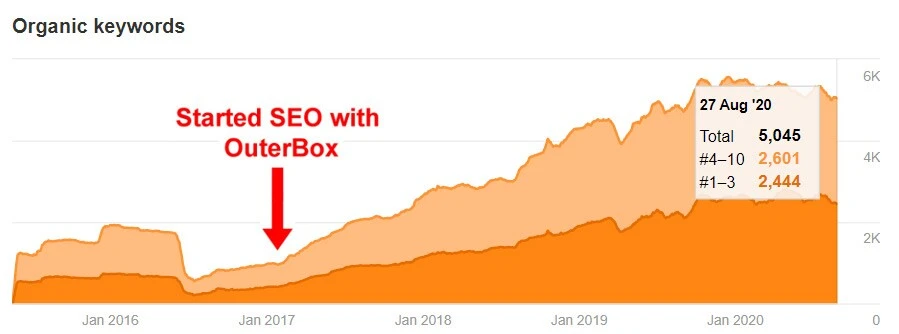
* Actual Shopify client results & data – 478% traffic increase and over 4,000 new keywords on page #1 of Google.
Duplicate Titles And Weak Metadata Usually Come From Theme Rules
Duplicate page titles are not just a writing problem. On Shopify, they often come from how the theme outputs metadata across collections, tags, filtered views, products, blogs, and pagination.
The old article showed a dynamic title concept that included the page title, current tags, pagination, and shop name. That concept is still useful. Shopify’s current theme SEO docs show the same ingredients in a cleaner way: page_title, current_tags, current_page, shop.name, page_description, and canonical_url all belong in the theme’s metadata logic.
Use that as a QA checklist:
- Does each important collection have a specific title and meta description?
- Do tag or filtered views create duplicate titles?
- Does pagination add useful context without making every page look like a new keyword target?
- Does the canonical tag point to the URL you actually want indexed?
- Are product title templates pulling useful attributes, or just repeating internal product names?
- Do meta descriptions explain the page, or are they empty across whole template groups?
Shopify lets merchants set titles and descriptions for most pages in the admin, but theme logic decides how those fields render. A good metadata cleanup checks both the admin content and the Liquid output. Otherwise, you can write better fields and still have a template that duplicates or suppresses them.
Robots.txt, Noindex, And Canonicals Are Easy To Mix Up
The original article called robots.txt “locked.” That is no longer the right way to say it. Shopify generates a default robots.txt file, but Shopify also documents how developers can add a robots.txt.liquid template to customize crawl rules.
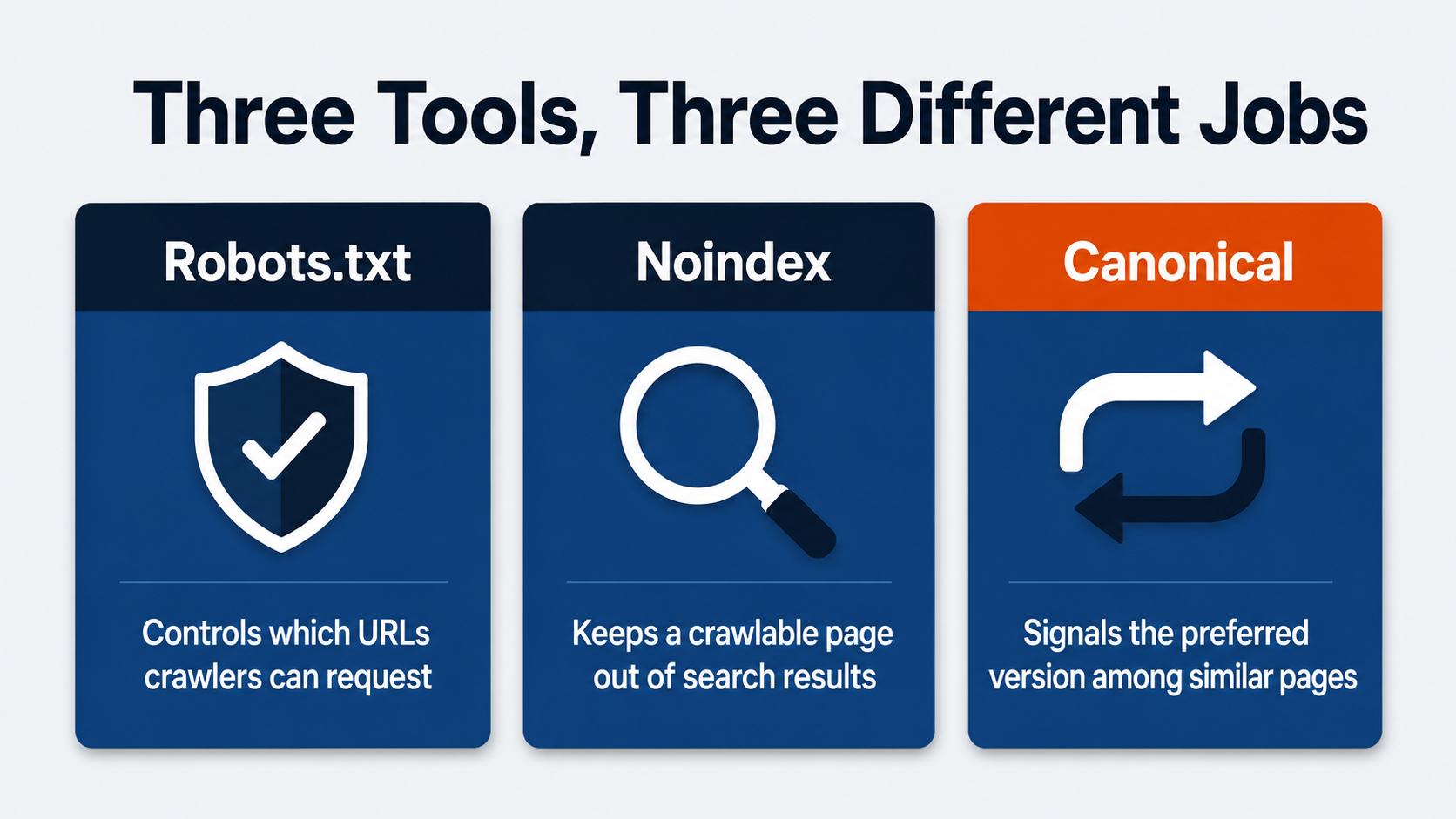
The bigger issue is that robots.txt, noindex, and canonical tags do different jobs:
- Robots.txt tells crawlers which URLs or paths they can request.
- A noindex directive tells search engines not to keep a page in search results after they can crawl and see the directive.
- A canonical tag signals which URL should be treated as the preferred version among similar pages.
Mixing those up creates real SEO problems. If a duplicate page is blocked by robots.txt, Google may not be able to crawl it and see a canonical tag or noindex directive on the page. If a page is noindexed when it should be canonicalized, it may leave Search instead of consolidating signals. If every filtered page canonicals to a parent collection without a wider internal-link and sitemap policy, crawl waste may still continue.
This is where an SEO audit helps. The right answer depends on the URL pattern. A high-value filtered collection may deserve unique content and indexation. A sort order may deserve no organic footprint. A duplicate variant may need canonical consolidation. A faceted navigation pattern may need crawl-control rules, internal-link cleanup, and template changes.
Shopify URL Structure Has Useful Limits
Shopify uses fixed URL folders for major resource types. You can change handles, but you do not get complete freedom over every path.
Common examples include:
domain.com/collections/women-shirts
domain.com/products/blue-women-shirt
domain.com/pages/shirt-information
domain.com/blogs/news/shirt-blog
That structure is not automatically bad for SEO. It can be clean, predictable, and easy for teams to manage. The issue appears when teams try to force a URL strategy Shopify does not support, or when a migration changes handles without enough redirect, canonical, sitemap, and internal-link QA.
Before changing Shopify URLs, define:
- Which collection, product, page, and blog URLs are canonical.
- Which old URLs need redirects.
- Which internal links should be updated rather than left to redirect.
- Which sitemap URLs should remain.
- Which product or collection handles are tied to paid campaigns, email, feeds, or external links.
If a redesign, replatform, or theme rebuild is involved, bring a Shopify migration plan into the work before launch. Shopify’s URL structure is workable, but it needs governance.
Thin Collection And Product Content Leaves Revenue Pages Weak
The old article treated “adding content” and “custom fields” as separate Shopify limitations. The modern version is broader: important collection and product pages need useful content, and your theme needs a clean way to render it.
Thin Shopify SEO pages usually show up in a few places:
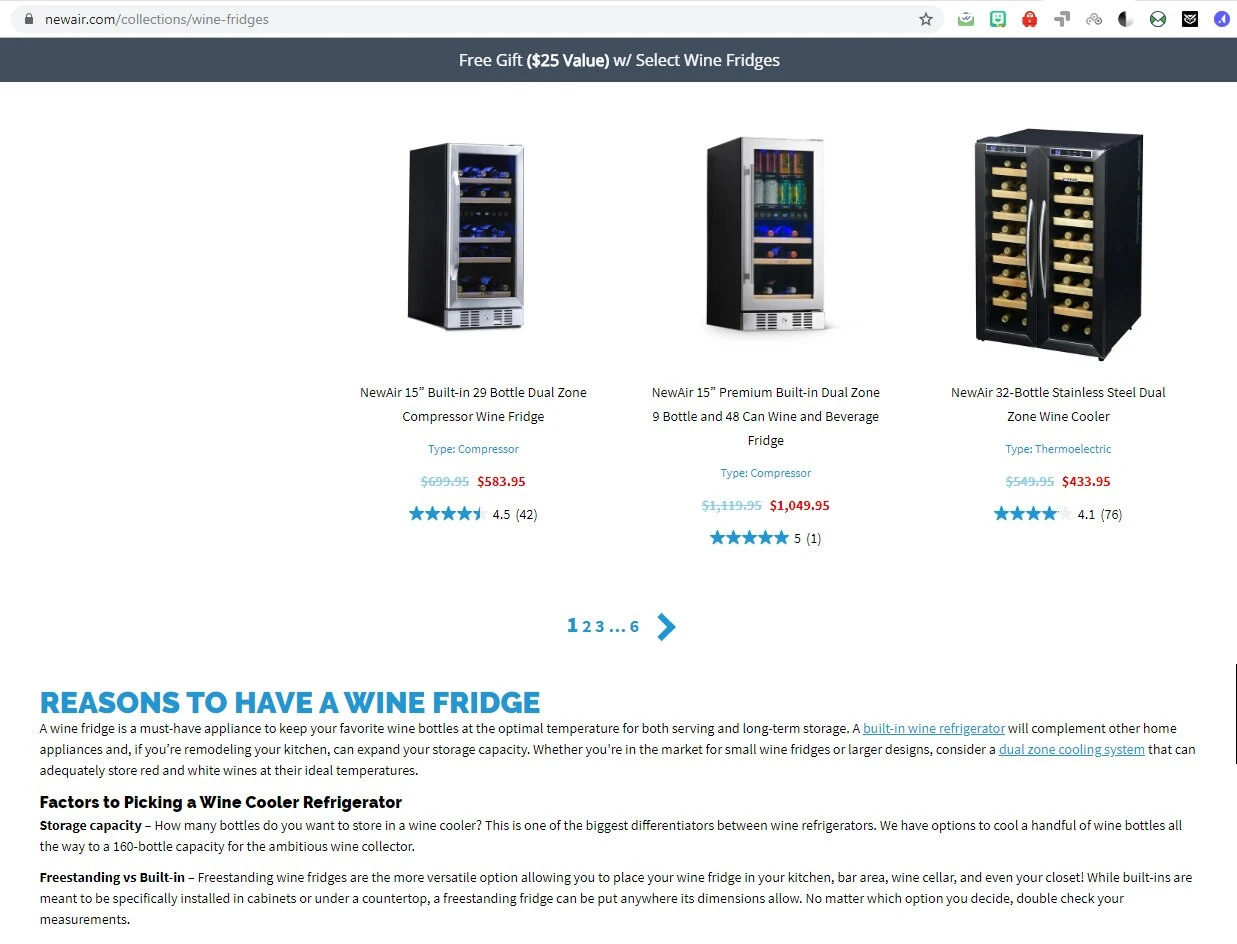
- Collection pages with only a product grid and no buying guidance.
- Product pages that reuse manufacturer copy.
- Variants with almost identical copy and metadata.
- Blog content that never links back to revenue pages.
- FAQ or buying-guide content trapped in a module Google cannot read clearly.
- Structured data that does not match visible price, availability, reviews, or variant information.

Shopify themes use templates, sections, blocks, snippets, metafields, and metaobjects to control how content appears. That gives teams more options than the older “custom fields” phrasing suggests, but it also means SEO recommendations need implementation detail.
For collection pages, add copy that helps shoppers decide: product differences, use cases, fit, material, compatibility, sizing, shipping considerations, or links to deeper guides. For product pages, improve titles, descriptions, media alt text, reviews, specs, variant labels, and FAQs. For supporting content, use an eCommerce SEO strategy that routes authority back to the collections and products that matter.
The best collection copy usually feels like merchandising support, not an SEO block dropped above a product grid. It should help shoppers compare products and give Google enough context to understand why the page exists.
Apps, Themes, And JavaScript Can Turn SEO Fixes Into Performance Problems
Apps can solve Shopify SEO problems, but they can also create new ones. The original article warned that adding multiple apps can slow the site down. Keep that caution.
An app may add storefront JavaScript, CSS, widgets, app embeds, schema, filtering behavior, redirects, metadata controls, reviews, product recommendations, popups, analytics, or tracking pixels. Some of that code is valuable. Some remains after a campaign, test, or app uninstall. Some loads on every template even when only one product page needs it.
Shopify’s theme performance docs recommend reducing JavaScript, avoiding large libraries where possible, avoiding parser-blocking scripts, using responsive images, lazy-loading below-fold images, and using Theme Check to identify performance issues. Those are not just speed concerns. Slow or JavaScript-heavy templates can affect crawling, rendering, user experience, and conversion.
When an app is proposed as an SEO fix, ask:
- Which template will it affect?
- Does it change metadata, canonical tags, robots directives, schema, filters, or internal links?
- Does it load on every page or only where needed?
- Does the output match visible content?
- Can the same fix be handled in the theme with less overhead?
- Who owns QA after theme updates?
If speed is already part of the problem, start with our guide to Shopify speed optimization before adding another app. If the fix requires a cleaner theme or page design, Shopify website design may be the better path.
Images, Videos, And Product Media Need SEO-Safe Handling
Shopify product media can help shoppers decide, but media still needs SEO discipline. Large images, weak alt text, autoplay video, unsupported theme behavior, and mismatched structured data can all create problems. Shopify themes commonly render product and collection images through Liquid helpers such as image_url and image_tag, so image SEO depends on both the asset in Shopify and the way the theme outputs it.
For images, check the basics first:
- Product and collection images have descriptive alt text where the image carries meaning.
- Decorative images are not stuffed with keywords.
- Above-the-fold product or hero images are not lazy-loaded.
- Responsive image output uses appropriate
srcsetandsizesvalues from the theme. - Width and height are present so layouts do not shift.
- Product and variant images line up with the product, variant, and collection page where they appear.
- Shopify-hosted images and theme assets use the platform’s image/CDN handling instead of unnecessary external asset calls.
- Image filenames, captions, and surrounding copy support the page topic naturally.
For videos and richer product media, focus on placement and load behavior. Shopify product media can include images, uploaded videos, external videos, and 3D models. A video or 3D model can support a product page, but it should not make the template slow before the shopper can see product details. A click-to-play or below-fold placement may be better than loading the full player early, especially on revenue pages where product information, price, variants, and add-to-cart controls need to render quickly.
Redirects And Migrations Can Reopen Old Shopify SEO Problems
Redirects rarely look like a Shopify SEO issue until a launch, product cleanup, or collection change goes wrong. Then old URLs, deleted products, changed handles, and retired tag pages can leave search engines and shoppers bouncing through weak paths.
Shopify includes a URL redirects tool in the admin under Content > Menus > View URL Redirects. That matters during cleanup because redirects work for broken URLs, not for every live page your team wants to override. When a product, collection, page, or blog handle changes, confirm whether the expected redirect exists, whether the old URL now returns a redirect rather than a live duplicate, and whether internal links were updated to the new canonical path.
Watch for:
- Redirect chains after repeated handle changes.
- Old collection/tag URLs still linked internally.
- Product URLs redirecting through multiple historical paths.
- Deleted products redirecting to irrelevant collections.
- Blog or guide URLs changed during a redesign.
- Canonical tags still pointing at old paths.
- Sitemaps updated while navigation still points at redirected URLs.
The old article warned about redirect loops. Keep that warning, but broaden the QA. After a migration or cleanup, crawl the important URL set before and after launch. Check status codes, canonical tags, titles, H1s, internal links, XML sitemaps, pagination, structured data, and analytics annotations. For large migrations, export existing redirects, prepare imports carefully, and make sure old high-value product and collection URLs map to the closest relevant live destination.
For Shopify, the safest migration work starts before launch. If your team is changing themes, collections, products, URLs, apps, or content architecture, treat redirects as part of the SEO migration plan rather than a post-launch cleanup task.
How To Prioritize Shopify SEO Fixes
When every issue looks important, use this Shopify-specific order:
- Fix indexation problems first: low-value filters, duplicate variants, storefront search URLs, empty collections, bad canonicals, and sitemap conflicts.
- Fix crawl access next: broken links, blocked resources, JavaScript-only discovery, pagination gaps, and redirect chains from handle changes.
- Fix template signals: Liquid title logic, meta descriptions, H1s, canonical tags, structured data, breadcrumbs, and image fields.
- Fix collection and product content: add useful copy through collection templates, product sections, metafields, or metaobjects where search demand and revenue justify it.
- Fix app and theme performance: remove stale app embeds, control scripts by template, clean up product media, and run Theme Check or equivalent QA on key templates.
- Build prevention into workflow: product launches, collection changes, app installs, theme updates, and migrations should all have Shopify SEO QA before they ship.
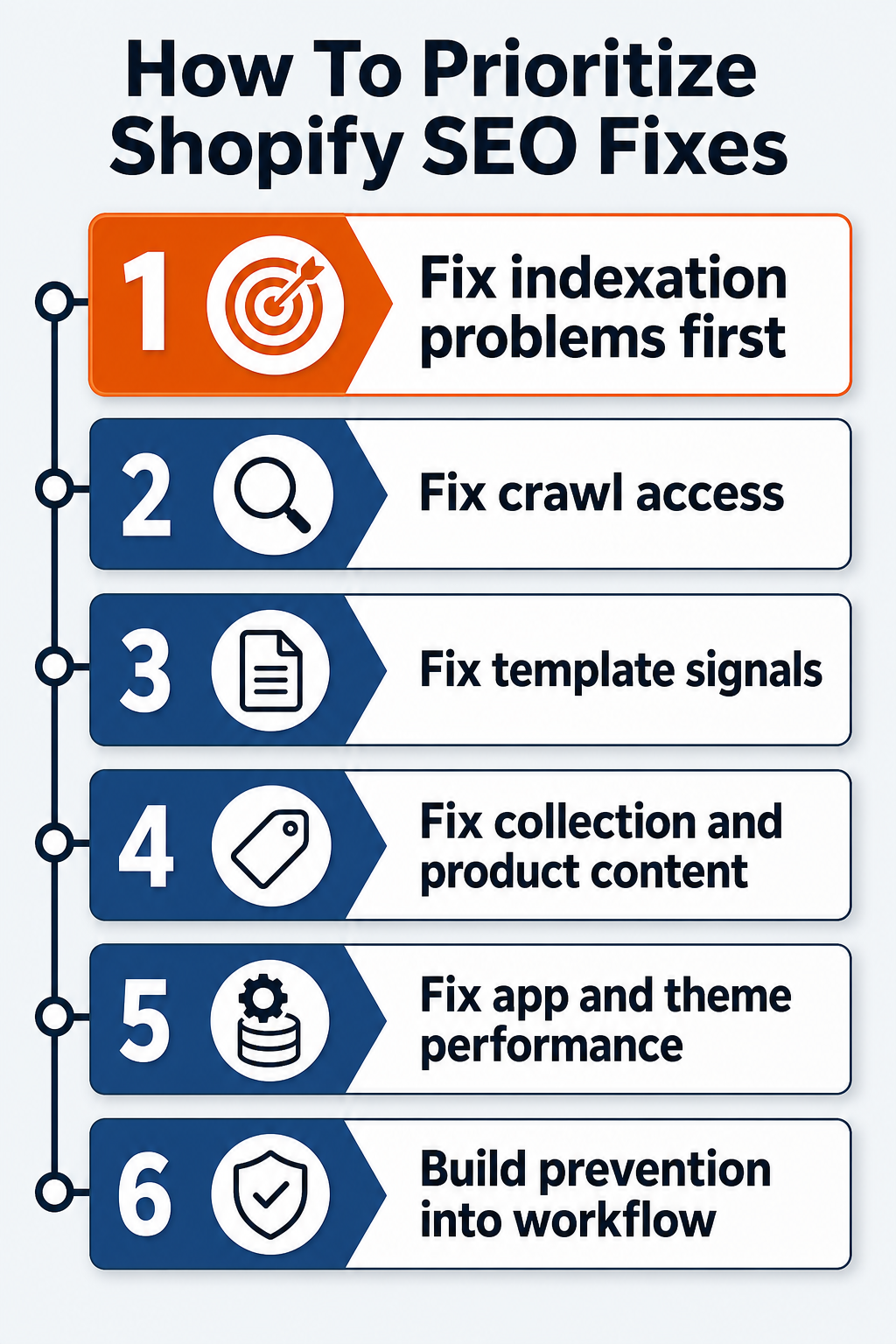
That order keeps the work practical. A better meta description will not solve a faceted navigation crawl problem. A faster theme will not help if the page Google indexes is a duplicate variant. Collection copy will not carry the page if internal links point to redirected URLs.
OuterBox works with Shopify stores where SEO, content, development, analytics, and ecommerce strategy all need to move together. If your team needs help separating urgent SEO problems from lower-priority cleanup, start with an OuterBox Shopify SEO team or a focused audit. We can help decide what belongs in the Shopify admin, what belongs in the theme, and what belongs in the long-term growth plan.
Shopify SEO FAQs
What are the most common Shopify SEO issues?
Common Shopify SEO issues include duplicate content, thin collection pages, weak product copy, duplicate titles, filtered URL crawl waste, unclear canonical rules, app or theme performance problems, redirect chains, and robots/noindex mistakes.
Is Shopify bad for SEO?
Shopify is not bad for SEO, but it has platform rules. Stores still need clear collection strategy, product content, metadata, redirects, internal links, schema, app governance, theme performance, and indexation control.
How do I fix duplicate content on Shopify?
Start by identifying duplicate URL patterns. Then align canonical tags, redirects, internal links, sitemap URLs, product variant rules, collection copy, and noindex/crawl controls where appropriate. Do not rely on robots.txt as a canonical fix.
Can I edit Shopify robots.txt?
Yes. Shopify generates a default robots.txt file, and developers can customize it with a robots.txt.liquid template. Use it carefully because robots.txt controls crawling, not canonicalization or guaranteed removal from search.
Do Shopify apps hurt SEO?
Apps can help or hurt SEO. The risk comes from added JavaScript, duplicate schema, metadata conflicts, slow templates, weak filter output, leftover code, or changes that load on every page instead of the pages that need them.
When should I get help with Shopify SEO problems?
Get help when issues involve crawl waste, duplicate URLs, migration risk, Liquid templates, app conflicts, schema, redirects, slow revenue pages, or unclear prioritization. Those problems usually need SEO and development working from the same plan.