By: Jeff Hirz
The website development process is the path from business goals to a launched, working, measurable website. That sounds simple until the project is close to launch and the team realizes the content is late, the URL plan is unfinished, forms have not been tested, analytics events are missing, or nobody owns the final approval.
Most articles describe the process as a list of phases: discovery, design, development, testing, launch, and maintenance. Those phases are real, but they do not tell a buyer what to prepare or what can break the project. A better way to think about website development is buyer readiness. Every stage needs an owner, an input, a blocker, and a way to prove the work is ready.
That matters because a site can look good and still damage the business. OuterBox has audited many sites before launch and found major issues. It is more common than many buyers expect. We have also seen companies come to us after a dev shop rebuilt a good-looking site, changed URLs without redirects, and caused revenue losses the client could not explain.
This guide explains the website development process from a buyer’s point of view: what happens, what to prepare, and where SEO, analytics, content, accessibility, CMS controls, and post-launch ownership fit.
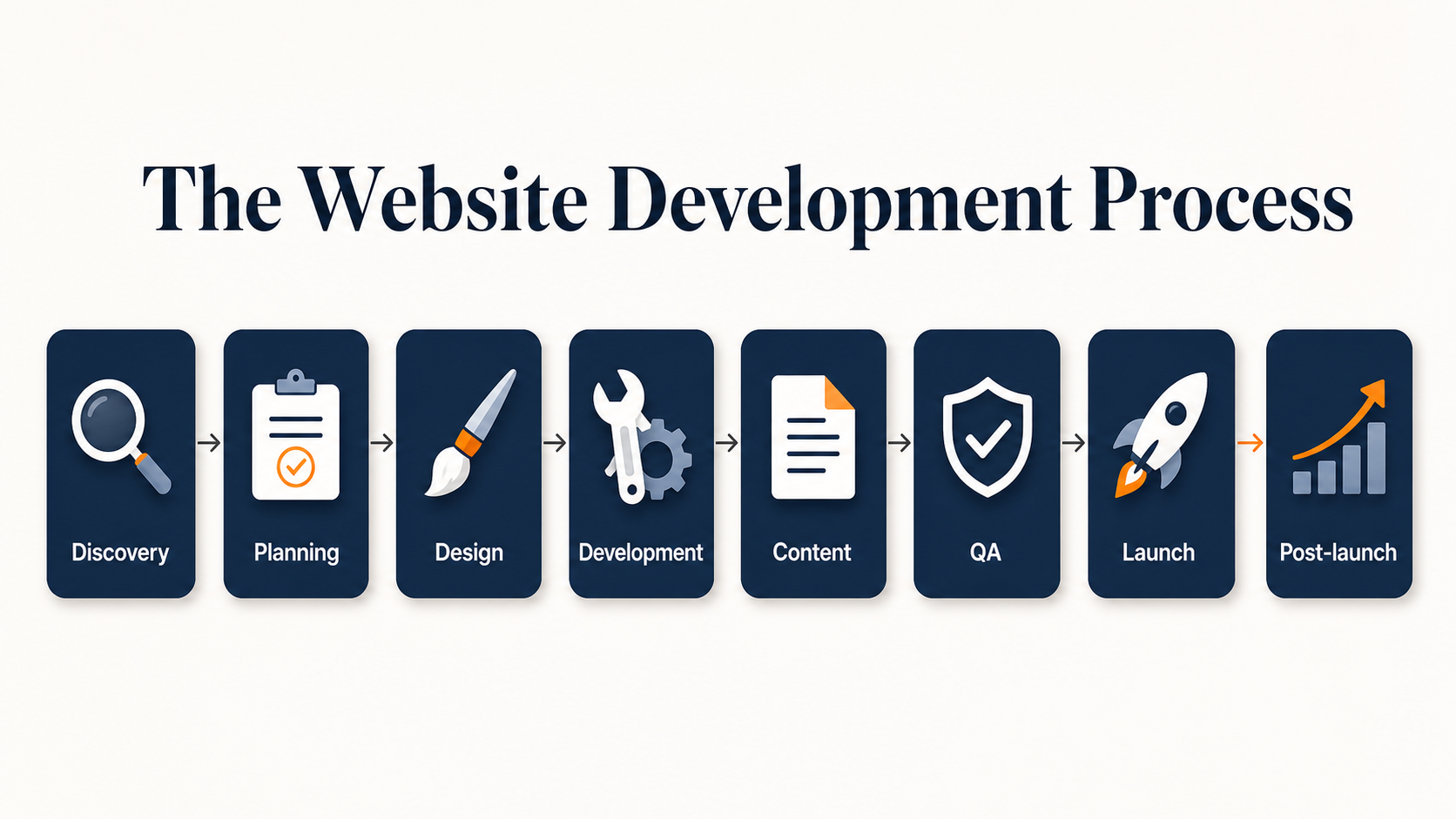
What The Website Development Process Actually Includes
A professional web development process usually includes discovery, planning, design, development, content population, SEO review, QA, launch, and post-launch improvement. The details change by project, but the dependencies are similar.
Discovery defines what the website needs to accomplish. Planning turns those goals into scope, sitemap, content needs, integrations, and project ownership. Design turns the strategy into page systems and user paths. Development builds the templates, CMS, components, forms, integrations, tracking, accessibility support, and performance foundation. QA tests the site against real business workflows before launch. Post-launch work monitors traffic, leads, sales, rankings, forms, and CMS usability.
The mistake is treating those steps as a waterfall where one team hands work to the next with no shared acceptance criteria. Content decisions affect design. URL decisions affect SEO. CMS controls affect whether the marketing team can keep pages current. Tracking affects whether anyone can measure the site’s impact.
Developers are technical, but that does not always mean they understand the technical side of marketing. URL structure, canonical rules, indexation controls, paid media tags, analytics events, SEO fields, schema, and AI-search visibility requirements need owners before development decisions harden.
Start With Goals, Scope, And Decision Owners
The first stage is not “make a pretty website.” It is deciding what the site needs to do for the business and who can approve the decisions that shape it.
Useful discovery work should define:
- Business goals: more qualified leads, eCommerce revenue, better product discovery, stronger recruiting, lower support demand, clearer service positioning, or a better experience for existing customers.
- Audience and conversion paths: who needs the site, what they need to compare, and what action they should take.
- Scope: page types, templates, product or service sections, resources, forms, search, account areas, integrations, and content migration.
- Success criteria: conversion events, lead quality, revenue, organic visibility, page speed, accessibility, maintainability, and reporting requirements.
- Decision owners: who approves sitemap, content, design, technical SEO, analytics, launch timing, and post-launch fixes.
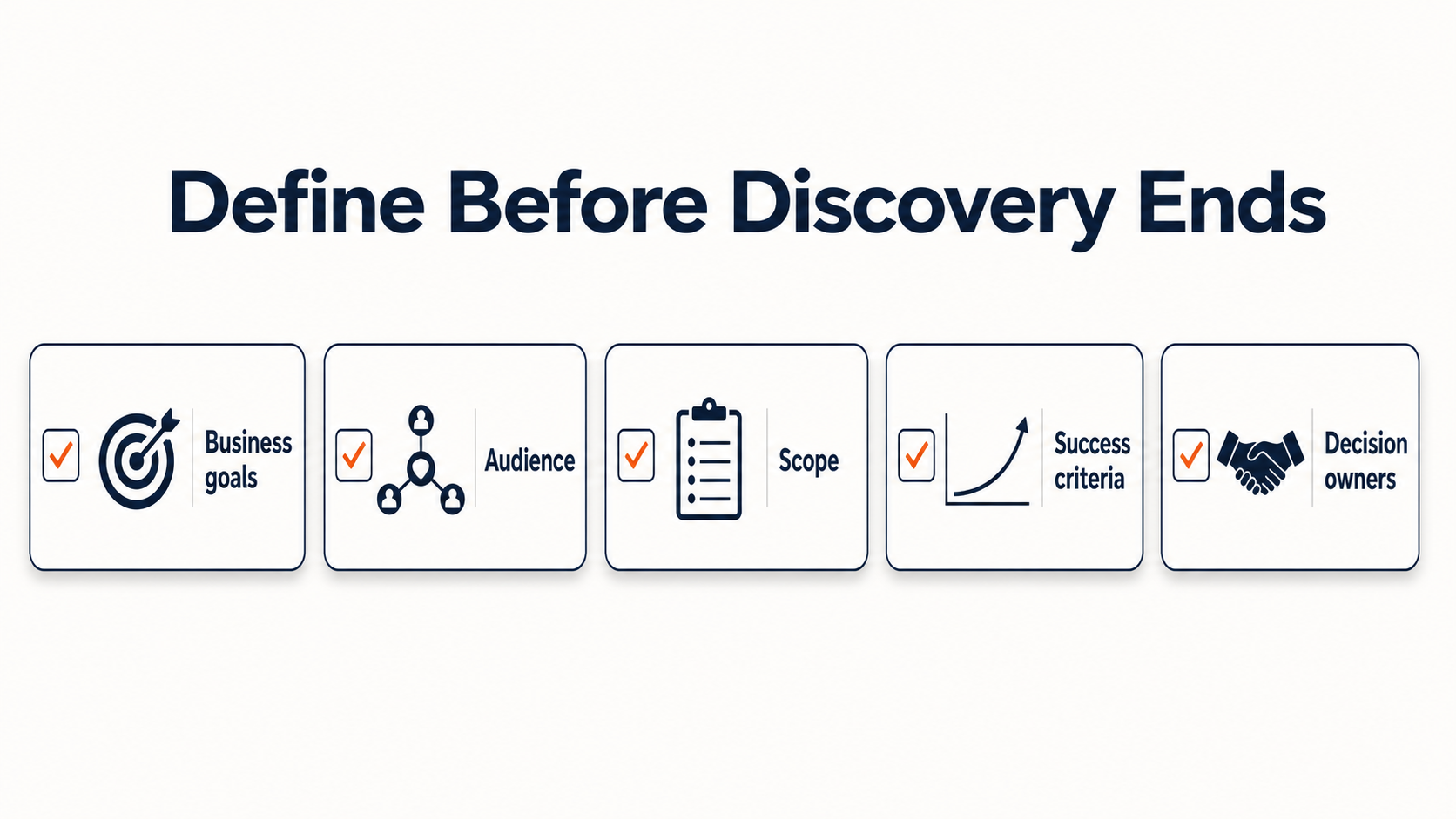
This is where many project delays begin. If one person owns brand approval, another owns product data, another owns legal review, and another owns analytics, the project needs that map early. Waiting until QA creates launch pressure.
A strong proposal should also make assumptions visible. If the agency is writing content, say so. If the client is supplying content, name the owner and due dates. If product data, location data, provider bios, or case studies need cleanup, put that work into scope. If a launch will require redirects, Search Console updates, analytics migration, and paid media tag testing, those are not afterthoughts.
Build The Sitemap Around Website Content Development, SEO, And User Paths
The sitemap is where buyer readiness becomes visible. A page only belongs in the sitemap if the team knows why it exists, what search or user need it serves, what content it needs, and who owns that content.
For a service business, that may mean mapping service pages, industry pages, location pages, case studies, resources, conversion pages, and support content. For an eCommerce site, it may mean category pages, subcategories, product detail pages, buying guides, brand pages, filters, comparison content, and policy pages. For a large healthcare, education, or B2B site, it may also include dynamic content, internal stakeholder sections, provider pages, event content, or resource libraries.
This is also where SEO needs to enter the web development process. A redesign that changes URLs, removes content, weakens internal links, or hides important pages can cause traffic losses even when the visual design improves. Google Search Central’s site-move guidance calls out the need to “Prepare a URL mapping” and “Monitor the traffic” when URLs change. It also advises teams to “Change only one thing at a time” where possible during major moves.
That guidance matters in normal website builds and formal migrations. If the project changes the CMS, templates, navigation, copy, URLs, canonicals, and analytics at once, the team needs a clear record of what changed and where to look if performance drops.
The content plan should be tied to the sitemap before design starts. Website content development includes page purpose, H1s, metadata, internal links, calls to action, product attributes, FAQs, schema opportunities, imagery, proof points, and CMS fields. If those requirements are late, designers may create layouts that do not support real content, and developers may build templates without the controls marketers need.
Design The Page System Before Development Starts
Design should turn the sitemap and content plan into reusable page systems. A good web design process does more than produce a homepage and a few polished mockups. It defines how the site will handle real content at different lengths, real product or service variation, mobile behavior, forms, calls to action, trust proof, navigation, and editing needs.
This is where buyer feedback needs to be specific. “Make it more modern” is not enough. Better feedback sounds like:
- The primary call to action is not visible soon enough on mobile.
- The service page does not make the audience or use case clear.
- The category template has no space for SEO copy, supporting links, or helpful buying information.
- The case study layout needs room for metrics, challenge, solution, and result.
- The form design does not account for sales routing or CRM fields.
- The page system needs a way to show trust signals without adding custom design work every time.
Brazos Fasteners is a useful example because the redesign went beyond visuals. The older site had limited content and weak SEO visibility. OuterBox modernized the design, improved navigation, added helpful content, and used customer and competitor research to target petrochemical opportunities. The public case study reports a 442% conversion lift in the first 90 days post-launch and a 158% year-over-year organic traffic increase. Those results came from design, content, navigation, SEO, analytics, and post-launch growth working together.
That is the standard buyers should expect from the design stage: not a set of attractive pages in isolation, but a system that supports users, search engines, editors, and measurement.
Develop The CMS, Integrations, Tracking, Accessibility, And Performance Foundation
The development stage turns approved designs into a working site. Developers build templates, front-end components, CMS fields, forms, integrations, search, navigation, responsive behavior, staging environments, and deployment logic. For eCommerce and catalog sites, this may also include product data, category logic, filters, inventory, checkout, ERP connections, feeds, and account features.
The buyer’s job during this stage is to make sure the technical build supports marketing and operations, along with the front-end design. Ask whether the CMS allows the team to edit titles, meta descriptions, headings, internal links, canonical tags, noindex settings, schema fields, image alt text, redirects, form routing, and conversion content.
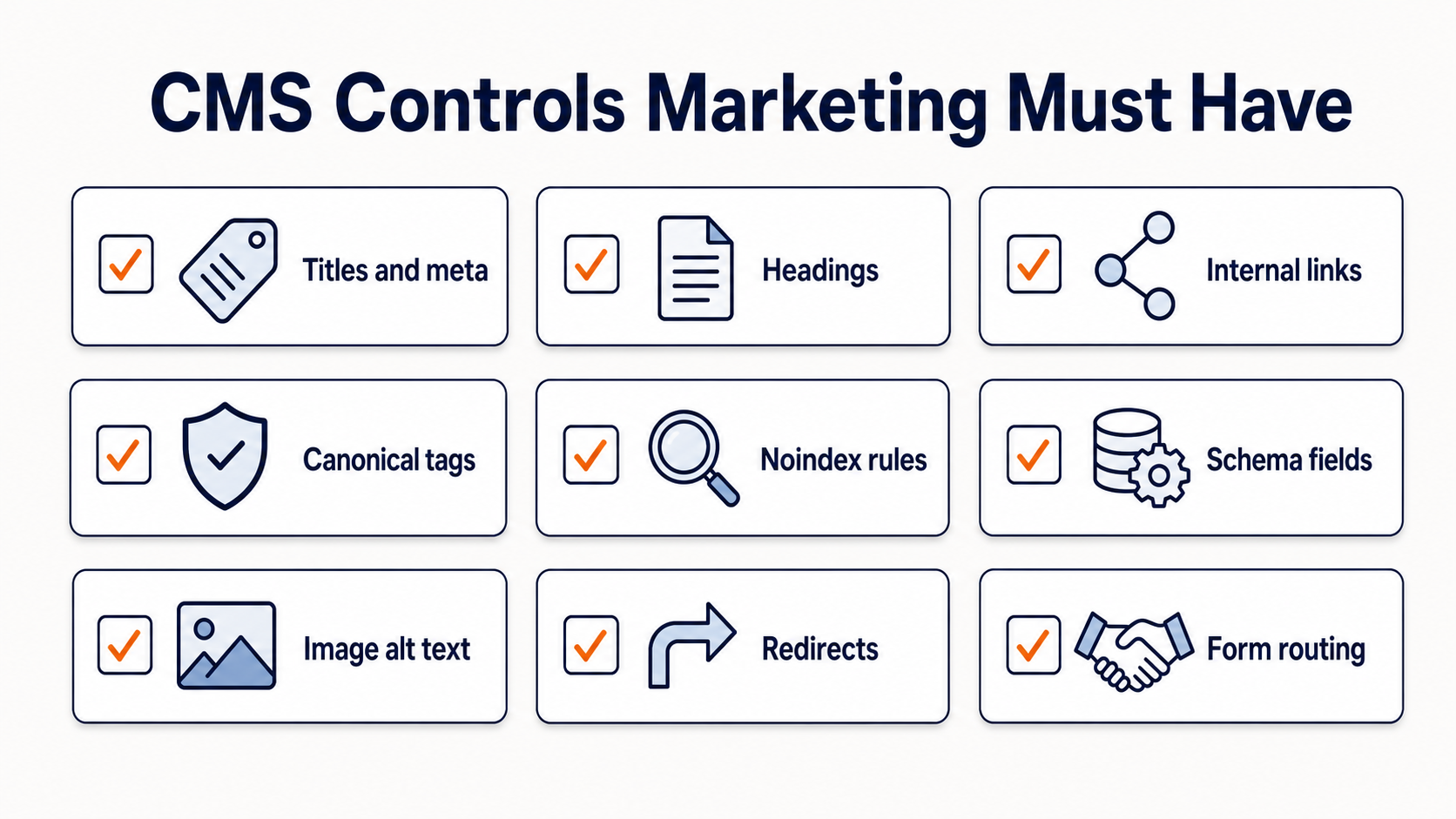
We have seen this catalog-site failure mode firsthand. The site looked fine from the front end, but it ran on a custom CMS where important pages were dynamic, inconsistent, and sometimes hard-coded to noindex. Category pages could not be controlled in the ways SEO needed. OuterBox had little room to help until the client rebuilt the site with a team that could provide basic SEO tools.
Accessibility and performance also belong in development, not as late polish. WCAG 2.2 describes accessibility requirements as “testable success criteria” and notes that testing can involve “automated testing and human evaluation.” web.dev defines Core Web Vitals as the subset of Web Vitals that apply to all pages and centers current measurement on loading, interactivity, and visual stability through LCP, INP, and CLS.
That means the build should have acceptance criteria for keyboard behavior, alt text support, form errors, color contrast, component semantics, page speed, layout stability, and interaction delays. A development team can be excellent at coding and still miss these marketing and usability requirements if they were never made part of the work.
Use A Website Development Dependency Map
A dependency map gives buyers a practical way to judge whether the project is ready to move forward. It does not replace project management software. It makes the hidden risks visible.
| Stage | Buyer decision or input | Typical owner | Common blocker | Acceptance criteria |
|---|---|---|---|---|
| Goals and scope | Business goals, audience, must-have features, budget limits | Executive sponsor and project lead | Stakeholders disagree on what the site must do | Written scope, success metrics, and decision owners are approved |
| Sitemap and content | Page list, content owner, SEO targets, migration needs | Marketing lead and SEO lead | Pages are approved without content or keyword purpose | Sitemap has page purpose, content owner, URL plan, and priority |
| Design | Brand direction, page systems, mobile priorities, conversion paths | Marketing lead and agency design lead | Feedback is subjective or comes from too many reviewers | Core templates support real content, CTAs, proof, and mobile behavior |
| Development | CMS controls, integrations, forms, tracking, SEO fields | Development lead, SEO lead, analytics lead | Templates look right but lack editing and marketing controls | Staging site supports CMS edits, metadata, schema, tags, forms, and redirects |
| QA and launch | Redirects, tracking, forms, accessibility, launch window, rollback plan | Project lead and launch team | Issues are found but no owner has authority to fix them | Priority workflows pass testing and launch owners are assigned |
| Post-launch | Monitoring cadence, thresholds, fixes, training | Marketing lead, analytics lead, support owner | Nobody knows which metric drop requires action | Traffic, rankings, leads, sales, forms, and CMS issues are monitored |
This table makes the process less abstract. If the sitemap stage has no content owner, the design stage is not ready. If development has no analytics owner, launch reporting is not ready. If QA has no redirect map, an SEO-safe launch is not ready.
Protect SEO Before The Launch Checklist Starts
SEO cannot wait until the site is “almost done.” By then, many decisions are expensive to change. URL structure, page hierarchy, internal linking, template fields, canonical logic, indexation rules, redirects, schema, and content depth are development requirements.
The highest-risk area is a redesign that changes URLs without a mapped redirect plan. We have seen companies lose revenue after a dev shop rebuilt the site, changed the URL structure, and launched without the redirects needed to preserve search value. The client often asks why leads or sales dropped, not realizing the move broke paths search engines and users already relied on.
An SEO-safe launch plan should include:
- A crawl of the existing site before development decisions are final.
- A list of valuable URLs from analytics, Search Console, rankings, backlinks, and paid landing pages.
- A one-to-one redirect map where URLs change.
- Metadata, heading, canonical, noindex, and schema controls in the CMS.
- Internal-link review for priority pages.
- XML sitemap and robots.txt review.
- GA4, Google Tag Manager, paid media pixels, call tracking, CRM routing, and conversion events.
- Search Console monitoring after launch.
University Hospitals shows why this matters at scale. Their site had more than 28,000 indexed pages and large sections of dynamically driven content. OuterBox supported the SEO portion of a major redesign and worked with internal digital marketing teams and service line directors. The public case study reports a 340% organic traffic increase and a 321% increase in keyword rankings. Large sites need stakeholder coordination because SEO risk is distributed across thousands of pages, templates, and owners.
Smaller sites need the same discipline, just at a different scale. The technical side of marketing has to be present before launch, especially when URL structure, tracking, paid media tags, schema, and CMS controls affect revenue.
Test The Site Against Real Business Workflows
QA should test the site as the business will use it, not just whether pages load. A good QA process checks browser behavior, mobile layouts, forms, checkout or lead flows, search, filters, account actions, tracking, accessibility, redirects, metadata, schema, page speed, and CMS editing.
For a lead generation site, test the path from landing page to form submission to CRM or inbox routing. Confirm the thank-you page, analytics event, paid media conversion, notification, and sales assignment. For an eCommerce site, test product discovery, cart, checkout, tax, shipping, payment, order confirmation, email flows, inventory behavior, and feed output. For a large catalog or resource site, test category pages, filters, pagination, noindex rules, canonical tags, and internal search.
This is also the stage where the buyer should use the CMS. Can the marketing team create a new page without breaking the layout? Can they edit SEO fields? Can they add internal links, schema fields, FAQs, alt text, and calls to action? Can they publish a case study or update a product category without a developer?
Launch QA should create a clear issue list with severity, owner, and launch impact. Some bugs are cosmetic. Others should block launch, such as broken forms, missing redirects, noindex on important templates, tracking failures, inaccessible navigation, checkout failures, or a CMS that prevents needed edits.
Launch With Owners, Monitoring, And Post-Launch Improvement
Launch day is a technical event, but a website is not successful because it is live. It is successful when the site keeps working under real traffic and the team knows what to do when data changes.
Before launch, assign owners for DNS, hosting, SSL, redirects, cache, analytics, paid media tags, Search Console, forms, CRM, content edits, bug triage, and stakeholder communication. Define the launch window, rollback rules, and the first 24 to 72 hours of monitoring. For a redesign or URL-changing launch, plan a longer monitoring period for organic traffic, rankings, indexed pages, crawl errors, leads, revenue, form submissions, and conversion events.
Post-launch, the work shifts from build to improvement. Teams should review:
- Organic traffic and query changes.
- Rankings for priority terms.
- Lead volume, lead quality, or eCommerce revenue.
- Form and checkout errors.
- Paid media conversion tracking.
- Core Web Vitals and performance data.
- CMS usability issues reported by editors.
- Search Console indexing, sitemap, and redirect signals.
This is where website maintenance, technical SEO, analytics, and conversion optimization become part of the same operating system. The original web development project should leave the business with a site that can be measured, maintained, and improved.
If you are evaluating an agency, ask how they handle web development, web design, eCommerce web design, SEO, tracking, CMS training, and post-launch support together. The right answer is not a longer checklist. It is a process where every dependency has an owner before launch pressure starts.
Website Development Process FAQ
What are the main steps in the website development process?
The main steps are discovery, scope, sitemap planning, content planning, design, development, content population, SEO review, QA, launch, and post-launch monitoring. The steps work best when each one has an owner, required input, blocker, and acceptance criteria.
How long does website development take?
The timeline depends on scope, content readiness, design complexity, integrations, stakeholder approvals, SEO migration needs, and QA findings. A small marketing site may move much faster than a large catalog, healthcare, B2B, or eCommerce site with many templates and owners.
What should a client prepare before development starts?
Prepare business goals, audience priorities, must-have features, content ownership, brand direction, analytics requirements, SEO priorities, existing URL data, integration requirements, and decision owners. The more the buyer prepares before design and development, the fewer launch-pressure compromises the team has to make.
What is the difference between web design and web development?
Web design defines the user experience, visual system, page layouts, mobile behavior, and conversion paths. Web development turns that system into working templates, CMS controls, forms, integrations, tracking, performance, accessibility support, and launch-ready code.
Why should SEO be part of website development?
SEO affects URL structure, redirects, metadata, headings, internal links, schema, indexation controls, site speed, and content depth. If those requirements are handled after the build is nearly done, the site may look finished while still putting organic traffic, paid media tracking, and revenue at risk.