By: Jeff Hirz
Whether you own a lead generation website or an eCommerce website, it is essential not only to track how many visitors your site gets, but to understand why they behave the way they do.
Beyond raw numbers, visitor-tracking reveals intent signals (e.g., hesitation, backtracking, exit pages), uncovers friction in the user journey, and guides you to optimize design, content, and calls to action. This insight empowers you to turn more visits into conversions and boost the ROI of your marketing efforts. It also helps steer site redesign, refine lead interaction, and validate whether your optimization efforts are effective.
When it comes to website visitor tracking, Google Analytics 4 (GA4) has become the go-to platform for businesses of all sizes. It is free and backed by Google, so that’s the biggest reason. It also provides insight into how many people visit your website, as well as how they arrived there. It is an event-based tracking model, tracking sessions or page views to provide you with granular insight into what users click and view. This means you can track user intent, micro-conversions, and behaviors that matter most to your business.
GA4 ties directly into Google Ads and Search Console, making it the cornerstone of campaign optimization. You can connect ad spend with visitor behavior and revenue outcomes, ensuring your marketing dollars work harder.
Utilizing website visitor tracking software can be a great companion to Google Analytics to see information such as visitor numbers, average time spent on site, mouse heat maps, and bounce rates in real time as opposed to retrospectively. Below are 5 of these additional website visitor tracking tools that could be pivotal to enhancing your website conversion rate and increasing overall profit.
Check out the best website visitor tracking software available:
1. SemRush
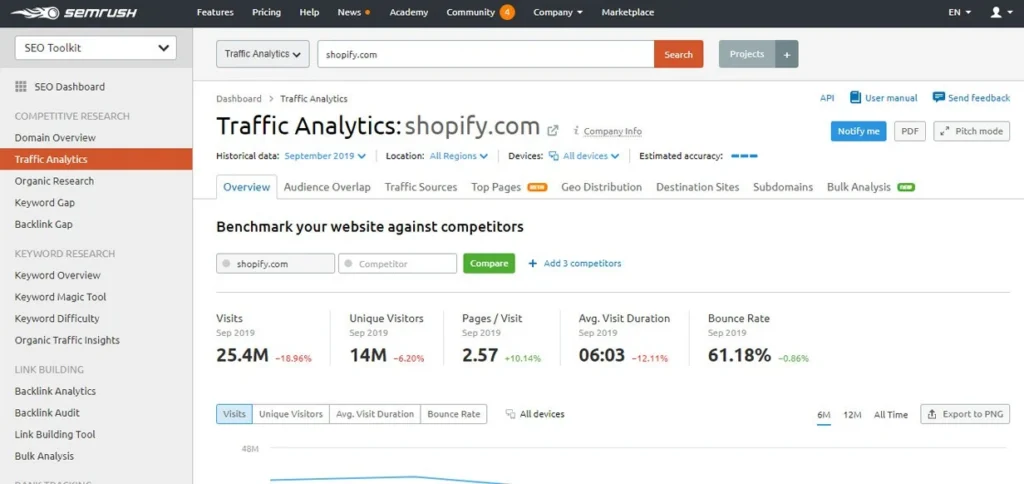
SemRush is one of the world’s most popular SEO tools, allowing you to track visitors, traffic, keyword rankings, and more. It will also give you deep insights into your SEO campaign and suggestions on how to improve your website.
Best For:
- Consolidating SEO, PPC, traffic intelligence, and visitor data in one interface
- Useful for seeing how organic, paid, and referral traffic feed into your site
Limitations: It’s not a dedicated session-recording or heatmapping tool, so it won’t replace a behavior analytics suite—rather, it complements them.
2. Clicky
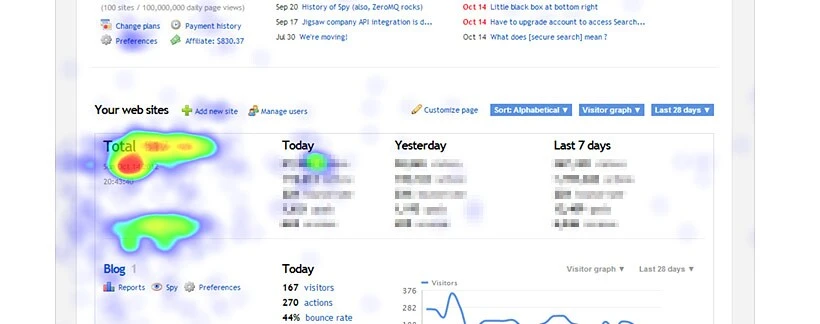
Make real time visitor statistics easy with Clicky’s tracking program. Click on individual visitors on Clicky’s easy-to-use dashboard to track history and page navigation. One of the key features Clicky offers is its ability to show individual and segmented visitors heat maps. This allows you to analyze your site’s performance as it pertains to structure, design and opt-in form design. Clicky also provides a website downtime alert feature to keep you aware of when you website has crashed in order to react effectively and in a timely manner.
Best For:
- Real-time reporting and visitor-level drill-down
- Heatmaps, uptime monitoring, and social analytics in one package
- Easier and faster to adopt than heavy analytics suites
Limitations: At scale, high traffic or complex funnels may push Clicky’s limits. And it lacks some of the depth of modern product analytics or A/B testing tools.
3. Hotjar
Hotjar is one of the most widely used website visitor behavior analytics tools. It provides visual insights into how visitors interact with your site through heatmaps, scroll maps, and session recordings, making it easier to identify usability issues and optimize conversion paths.
Best For:
- Heatmaps show where users click, scroll, and spend time
- Session replays let you watch real user journeys in action
- Built-in feedback tools (surveys, polls) give voice-of-customer insights
- Ideal for UX, CRO, and product teams looking to improve site performance
Limitations: Hotjar doesn’t focus on visitor/company identification or deep attribution. It’s less about “who” your visitors are and more about “what” they do on your site.
4. Crazy Egg
Crazy Egg provides visual reporting tools like heatmaps, scroll maps, confetti, and overlays that make it easy to understand where users click and engage on your site. It also includes session recordings, on-site surveys, and built-in A/B testing.
Best For:
-
Conversion rate optimization (CRO) projects
-
UX designers needing visual, intuitive reports
-
Marketers who want quick ways to test changes and improve results
Limitations: Doesn’t provide deep visitor identity resolution (it’s about what users do, not who they are).
5. Matomo
Matomo (formerly Piwik) is a privacy-focused analytics platform that offers visitor tracking, session logging, and advanced analytics. Unlike many SaaS tools, Matomo can be self-hosted, giving you full control over data.
Best For:
- Organizations prioritizing GDPR/CCPA compliance
- Businesses wanting an open-source, customizable solution
- Teams seeking an alternative to Google Analytics with more visitor transparency
Limitations: Requires more setup and maintenance compared to SaaS platforms. Some advanced features may need premium add-ons.
More for Your Toolkit
While GA4 and the five tools above excel at tracking behavior, traffic, and user experience, they should be just one piece in your online marketing toolkit. OuterBox recommends Ahrefs for keyword research, backlink analysis, and site audits, and Accuranker for real-time keyword ranking data.
Our CRO team uses Convert, VWO or Optimizely to provide data and A/B testing. Then adding LOOP Analytics can provide on form submission tracking, call attribution, and lead scoring—tying user journeys directly to marketing ROI.
The best approach to web analytics is to combine tools that cover different angles, finding the right solutions to provide your business with a complete picture—helping you attract, understand, and convert your website visitors more effectively.